¶ Installation Requirements
¶ Ground Requirements
To ensure stable docking and reliable charging:
- Place the Docking Station on flat, even, and stable ground.
- Avoid slopes whenever possible. A tilt greater than 1° may cause alignment issues or sliding during docking.
- If installing on uneven or sloped terrain, refer to Section 3: Installation on Steep Ground.
Compatible ground types & tools:
| Ground Type | Recommended Fixing Method | |
|---|---|---|
| Concrete / Brick | Impact drill + expansion bolts |
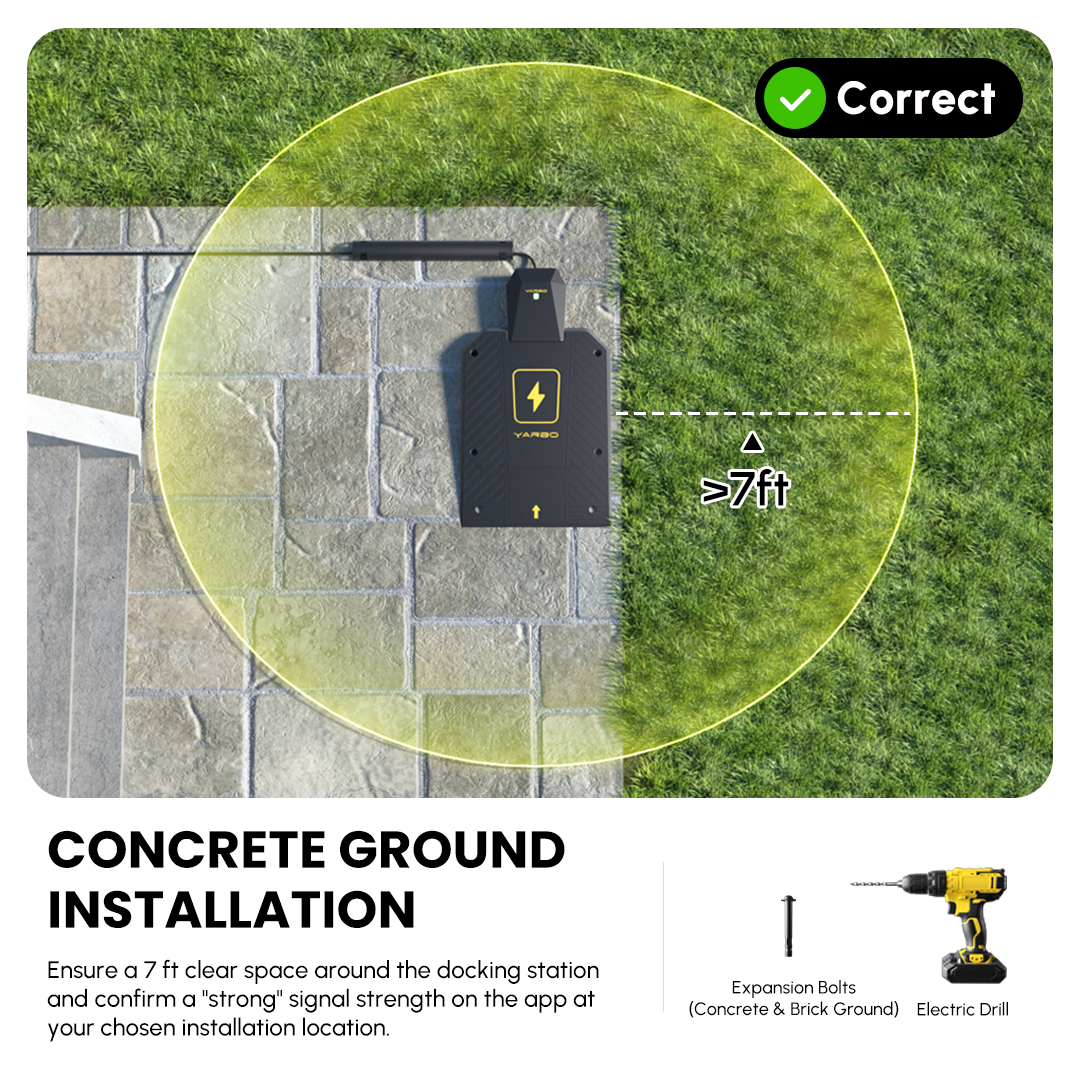 |
| Grass / Soil | Steel nails or grass pegs |
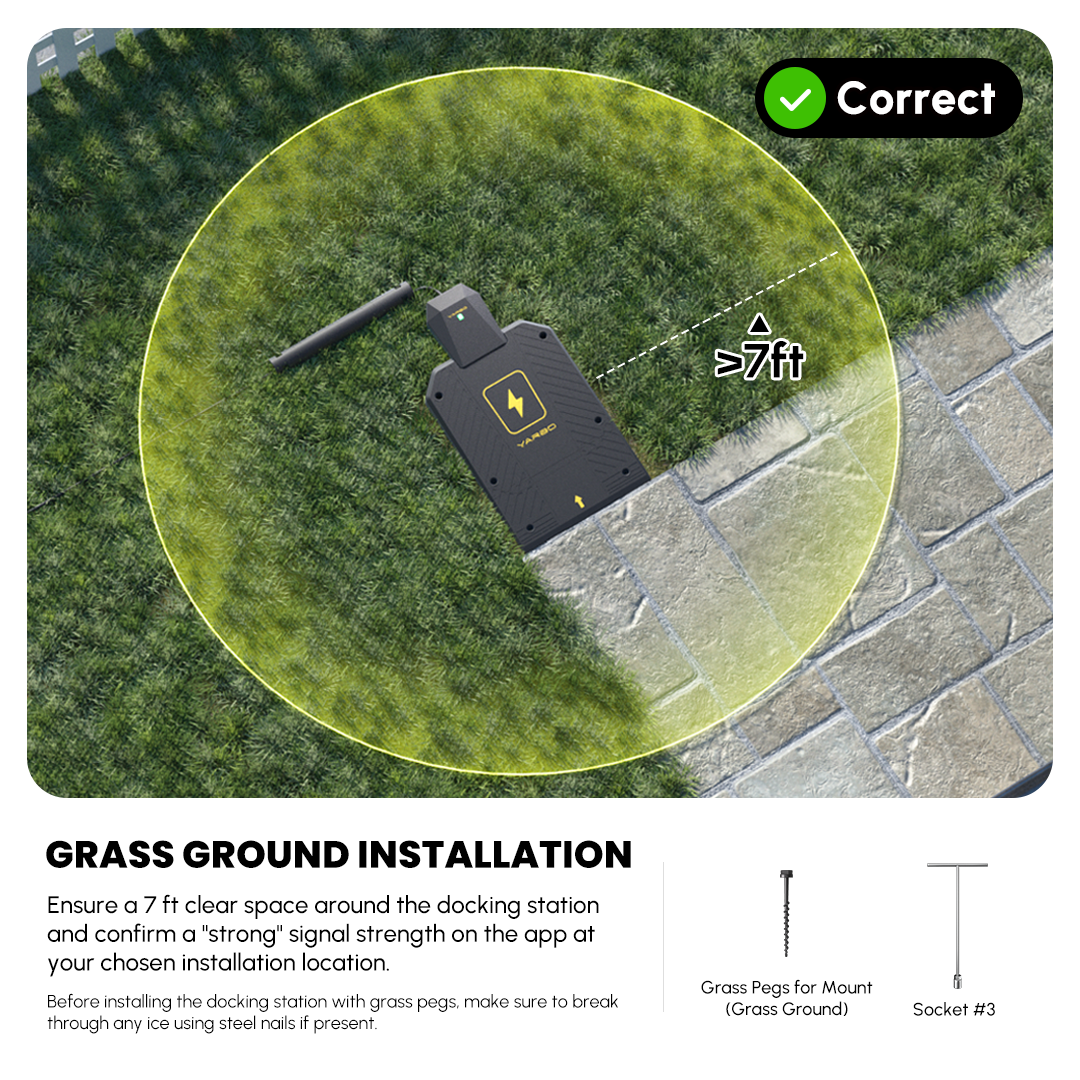 |
| Wooden platform | Wood screws |
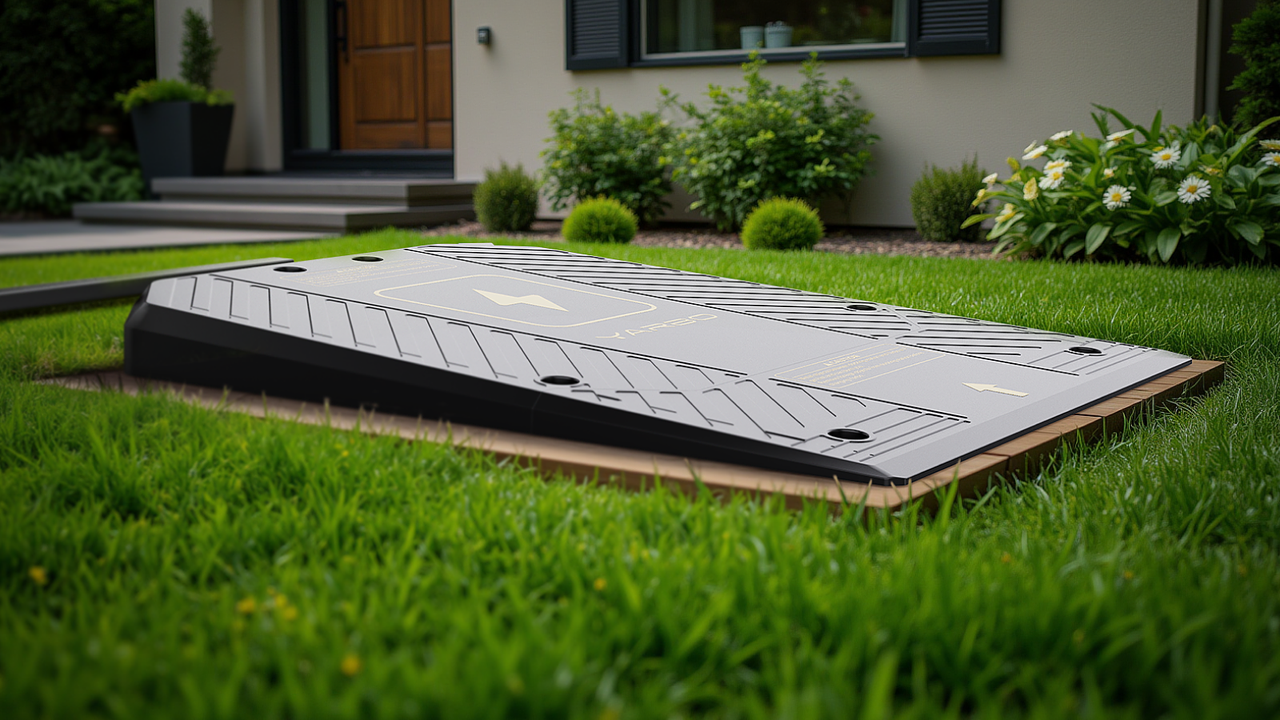 |
¶ Placement Recommendations
Proper placement is the most important factor for smooth Yarbo performance.
¶ Clearance Around the Docking Station
A 7-foot (2.1 m) open area around the Docking Station is highly recommended, though not a mandatory restriction.
This clearance provides:
- Smooth docking and undocking
- Space for turning maneuvers
- Reduced obstruction-based GPS interference
- More consistent RTK performance near the station
Some users operate successfully with slightly less clearance, but performance depends heavily on local layout and signal conditions. If using a tighter space, test the area first using the GPS diagnostic tool.
¶ Sky Visibility & GPS/RTK Requirements
The most critical factor for proper docking and navigation is satellite visibility.
- Choose a location with at least 120° of unobstructed sky view.
- Avoid locations blocked by walls, roofs, thick trees, sheds, or vehicles.
- Both the rover and Data Center must see the sky clearly at the same time for proper RTK correction.
¶ RTK Signal Testing Before Installation
Before committing to a location:
- Manually drive Yarbo to potential installation spots.
- Watch the RTK signal indicator in the app.
- Choose a location where the app shows “STRONG” RTK(Medium is sometimes acceptable).
- Move slightly around the area to ensure the signal doesn’t fluctuate.
This step is essential—good RTK significantly improves docking accuracy, mapping stability, and overall autonomy.
¶ Avoiding Obstructions
Ensure the area is free from:
- Rocks, logs, or decorative items
- Flower pots and planters
- Fences or deck steps
- Vehicles or seasonal equipment
- Yard structures that may block the robot’s return path
If Yarbo cannot return to the Docking Station due to blockages, autonomous recharging and mapping accuracy will be affected.
¶ Docking Station Must Not Overlap With Any Work Areas
The Docking Station must always be placed outside of all defined work areas.
¶ Why It Must Stay Outside Work Areas
We do not allow the Docking Station to overlap with mowing, blowing, or snow-clearing areas because Yarbo may travel behind the Docking Station during autonomous operation. This creates a risk of damaging the connected power cable at the back of the Docking Station.
Although two protective cable ramps are included, the risks remain if Yarbo passes over the cable.
¶ How to Position It Safely
To prevent cable damage:
- Place the Docking Station outside of all defined work areas.
- Keep a clear pathway between the Docking Station and the work area so Yarbo can enter and exit easily.
¶ Weather Exposure & Theft Considerations
The Docking Station is fully outdoor-rated for sun, rain, and snow.
If theft is a concern, place it somewhere discreet but not enclosed—it must still meet the sky-visibility requirements.
Avoid hiding it behind sheds, trees, or walls, which degrade GPS/RTK performance.
¶ Installation on Steep or Uneven Ground
Docking Stations installed on slopes may cause:
- Sliding during docking
- Charging interruptions
- Misalignment between the robot and charging pins
- Physical damage over time
¶ Recommended Solution: Build a Level Platform
To safely install on sloped terrain:
- Select the flattest available area.
- Use a shovel or leveling tool to create a flat foundation.
- Reinforce with a weather-resistant board or composite panel.
- Ensure the platform angle is less than 1° tilt.
- Secure the Docking Station using appropriate mounting hardware.
- A leveling tool or smartphone level app can confirm platform angle.
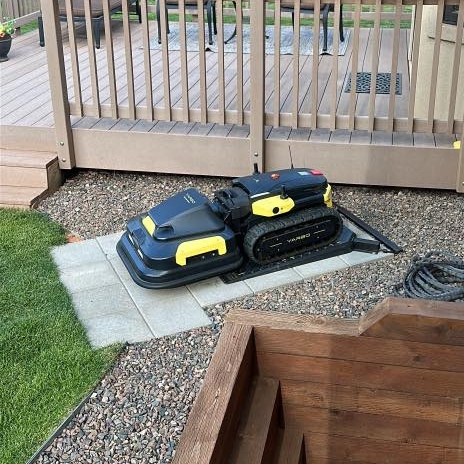
Photo courtesy of Jeff Dodds, shared with permission.
¶ Ongoing Maintenance
Re-check platform level periodically (ground may settle over seasons).
Keep the platform clean and dry for consistent traction.
¶ Maintenance Checklist
¶ Keep the Area Clean
Regularly remove:
- Leaves
- Snow
- Grass buildup
- Debris of any kind
This helps Yarbo properly align with the charging contacts.
¶ Check Docking Station Stability
Confirm the Docking Station hasn't shifted.
Make sure all mounting bolts or pegs remain tight.
¶ Inspect Power Connections
Ensure power cords remain fully connected.
If exposed outdoors, verify cable routing is weather-safe.
¶ Common Mistakes to Avoid
- Installing the Docking Station near walls or under roofs (blocks satellite view).
- Ignoring the RTK signal check before installation.
- Using steep or uneven ground without leveling.
- Placing the Docking Station in tight corners where Yarbo cannot turn.
- Trying to bypass autonomous navigation by manually driving Yarbo into the work area—this disables autonomous recharging and is not recommended.
¶ Quick Setup Workflow (Recommended)
- Walk Yarbo around your yard to test RTK signal strength.
- Identify locations with STRONG RTK performance.
- Choose a spot with 120°+ sky visibility.
- Ensure 7 ft clearance in all directions.
- Build a level base if terrain is uneven.
- Secure the Docking Station to the ground.
- Keep the area clean and re-check levels over time.
¶ FAQ
¶ Q: Why can't I place my Docking Station inside my work area?
The main reason we don’t allow the docking station to overlap with any work areas is to prevent Yarbo from traveling behind the docking station and potentially damaging the connected power cable.
While we provide two protective cable ramps, there’s still a risk that the cutting blades on the Mower Module or the auger on the Snow Blower Module could damage the cable if they pass over it.
To avoid this, simply make sure the docking station is positioned outside of any defined work areas, but leave a clear connecting pathway so Yarbo can easily travel between the docking station and the work area.
¶ Q: Is the 7-foot clearance mandatory?
No, but it is strongly recommended for smooth docking and consistent GPS/RTK performance. Some users succeed with less clearance, but test thoroughly using the app.
¶ Q: Can I hide the Docking Station behind trees or a shed to avoid theft?
Not recommended. This will reduce satellite visibility and may weaken the RTK signal, affecting Yarbo’s navigation.
¶ Q: Can I drive Yarbo manually into the working area to start tasks?
You can, but it disables autonomous navigation and automatic recharging, which are essential for normal operation.
¶ Q: What if my yard is mostly slopes?
Build a level platform using a board or small pad. Ensure the tilt is under 1°.