¶ Two Ways to Access the Notification
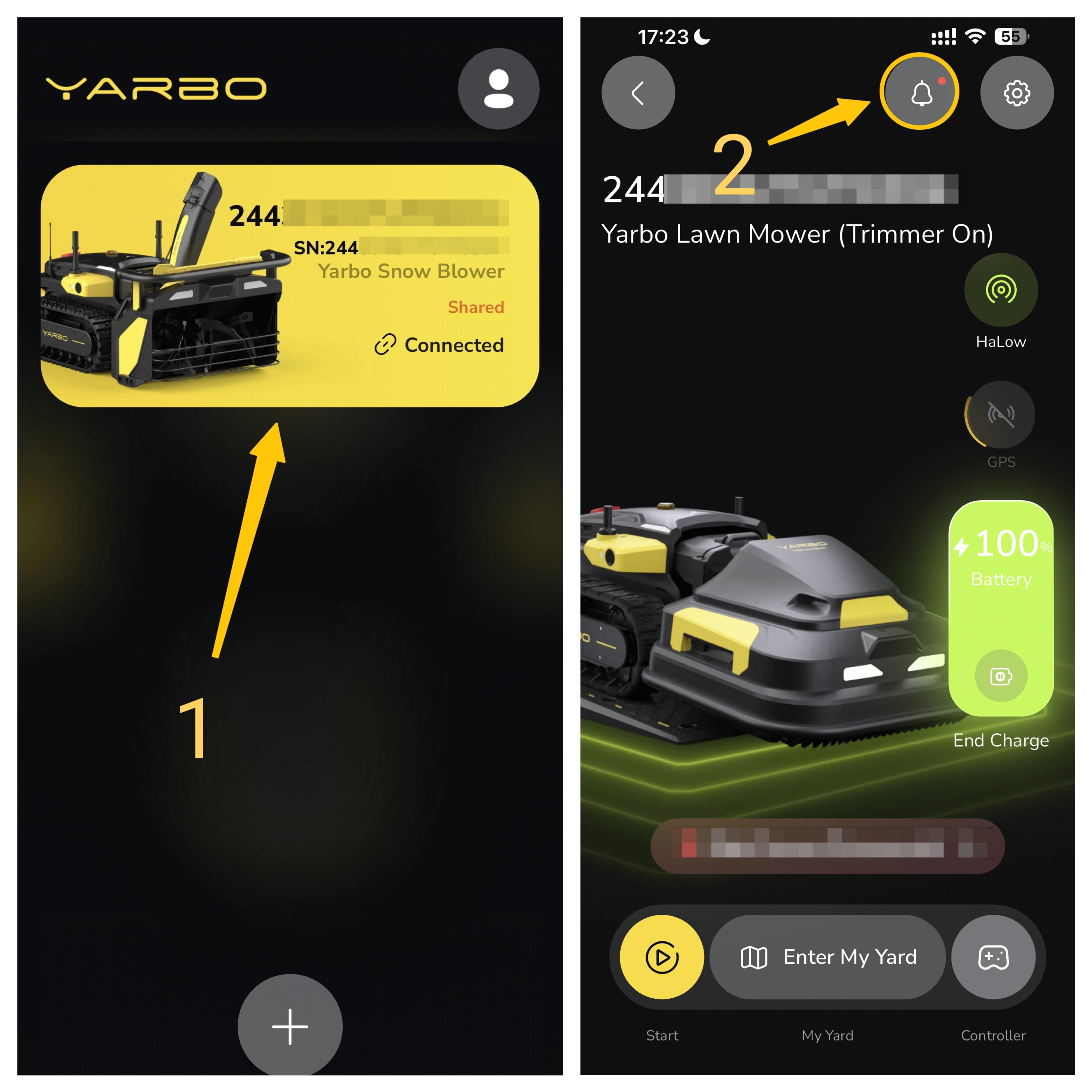
¶ Method 1:
Path Setup: Main Page → Choose your device → Home page → “Ring” (Notification) Icon.
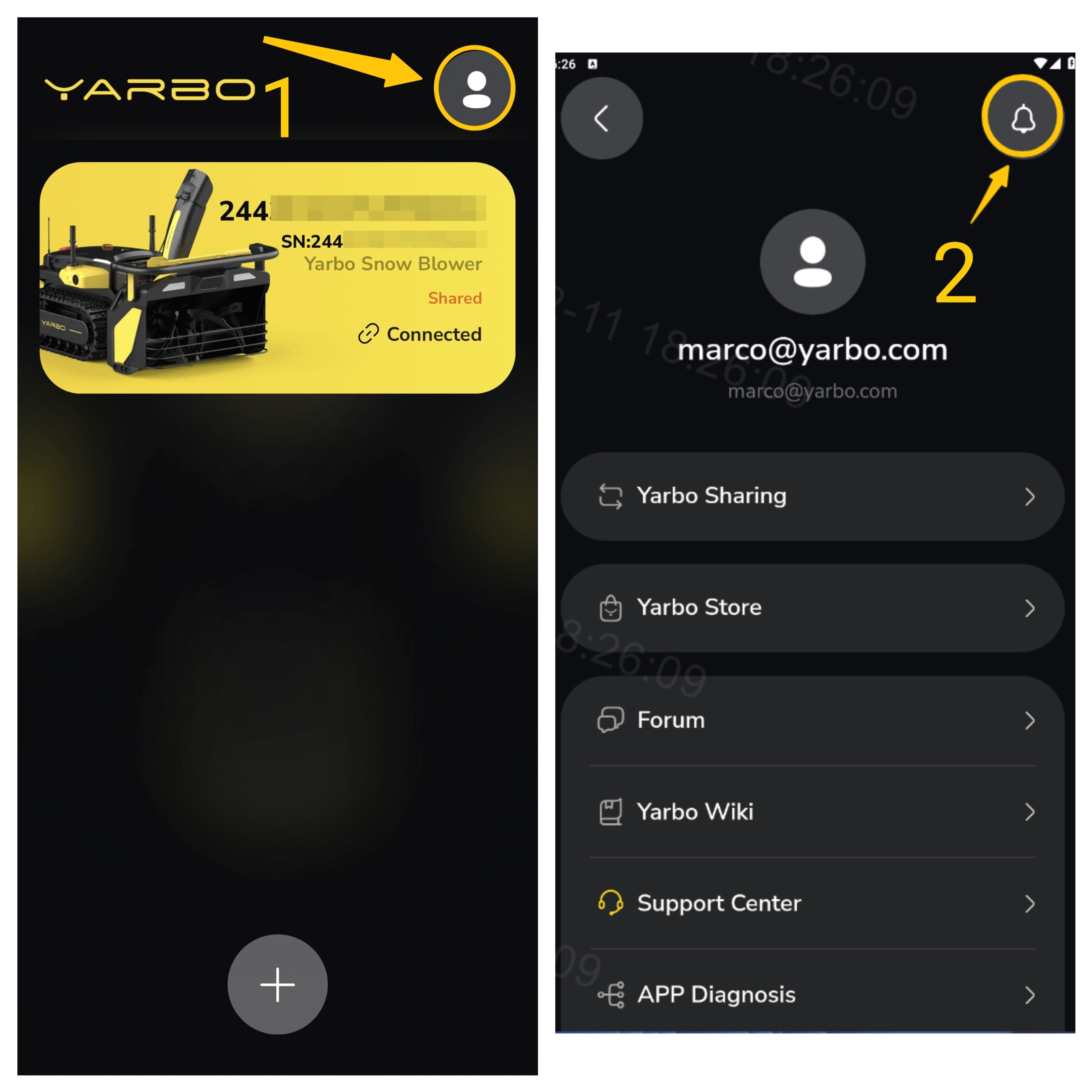
¶ Method 2:
Path Setup: Main page → “Profile” Icon → “Ring” (Notification) Icon.
¶ Steps to Turn On/Off Notifications
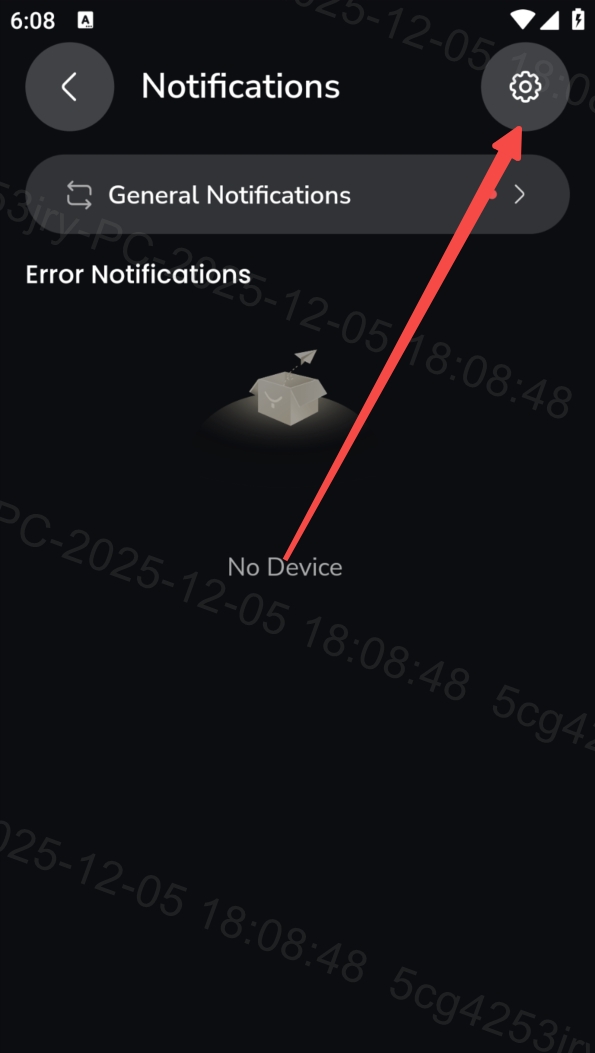
¶ 1. Tap the Settings Icon
| Inside the notification center, select the settings icon to access notification controls. |
 |
¶ 2. Choose Which Notifications to Disable
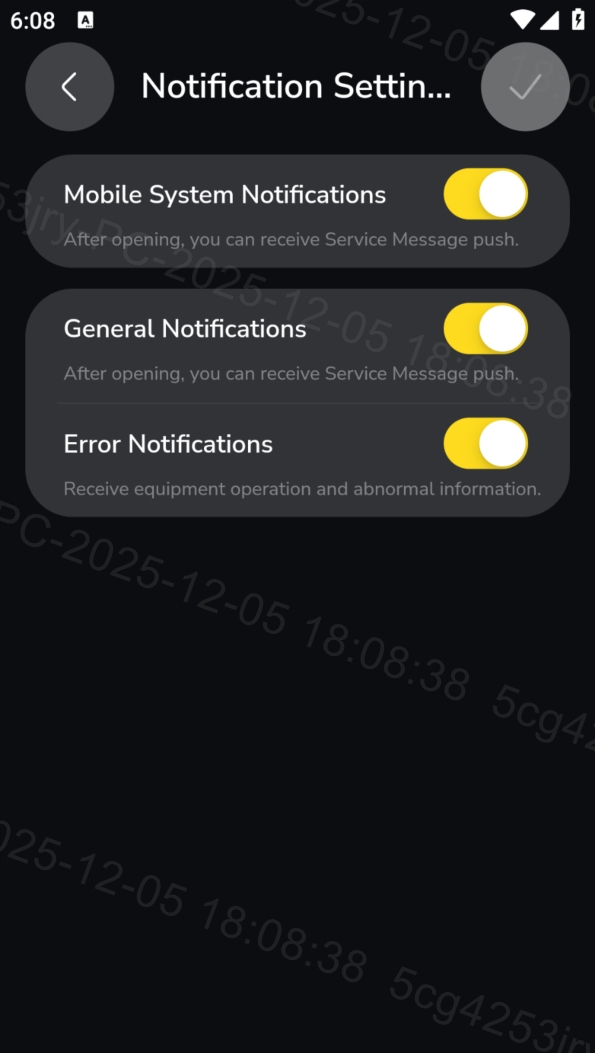
You will see three categories of notifications that can be turned off:
|
Mobile System Notification General Notifications Error Notifications Toggle off any category you no longer want to receive.
|
 |