¶ Work Plan History
Steps: Yarbo Settings → Work Plan History
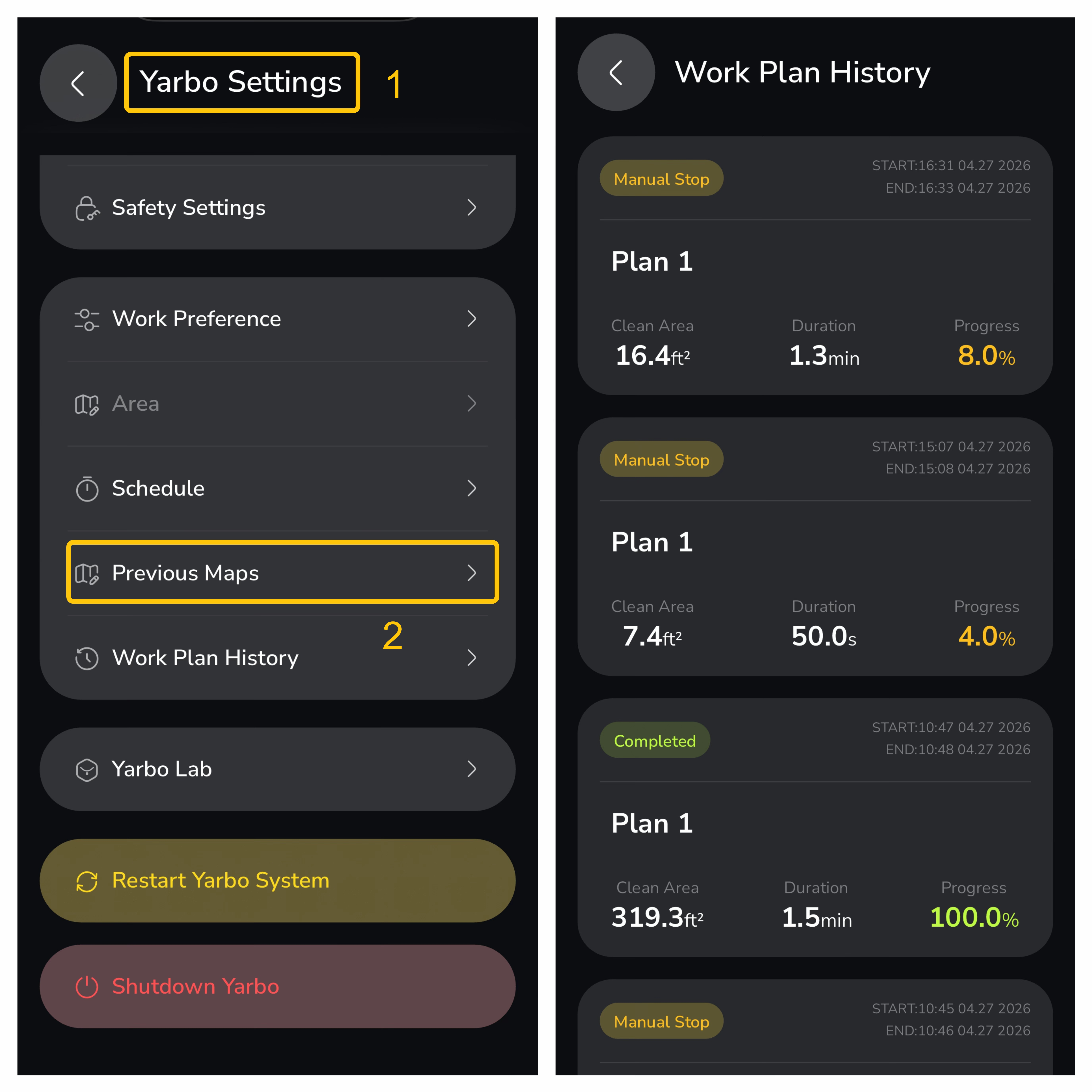
By accessing the Work Plan History, you can view detailed information about the completed and ongoing work plans. The information includes:
- Plan Name: Identifies the specific work plan (e.g., Plan 1).
- Clean Area: Displays the area covered by your Yarbo in square feet.
- Duration: Shows the time it took to complete the task.
- Progress: Indicates the completion percentage of the task.
- Status: If there was a manual stop or completion, this will be shown. The "Completed" status will indicate a fully finished task, while "Manual Stop" shows when the task was interrupted manually.
- Start and End Times: View the start and end times for each work plan, showing when the task began and when it was completed or interrupted.