Replacing your Yarbo Core involves more than adding a new device. The key is to protect your map, move the required hardware, restore from the cloud, and reset the items that do not carry over automatically.
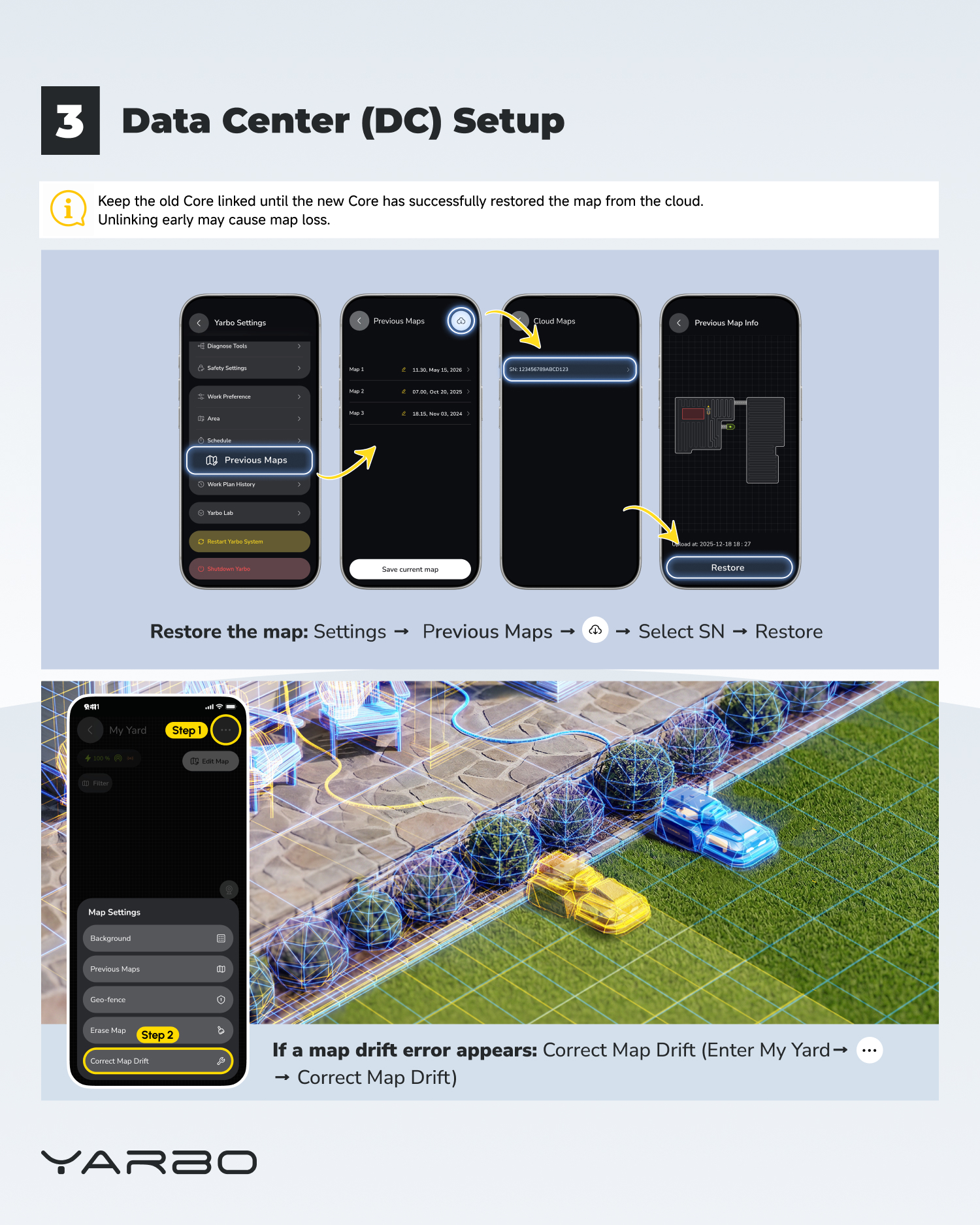
⚠️ Before unlinking the old Core, keep it connected until the new Core has successfully restored the map from the cloud. Unlinking too early may cause map loss.
¶ 1. Move the required hardware
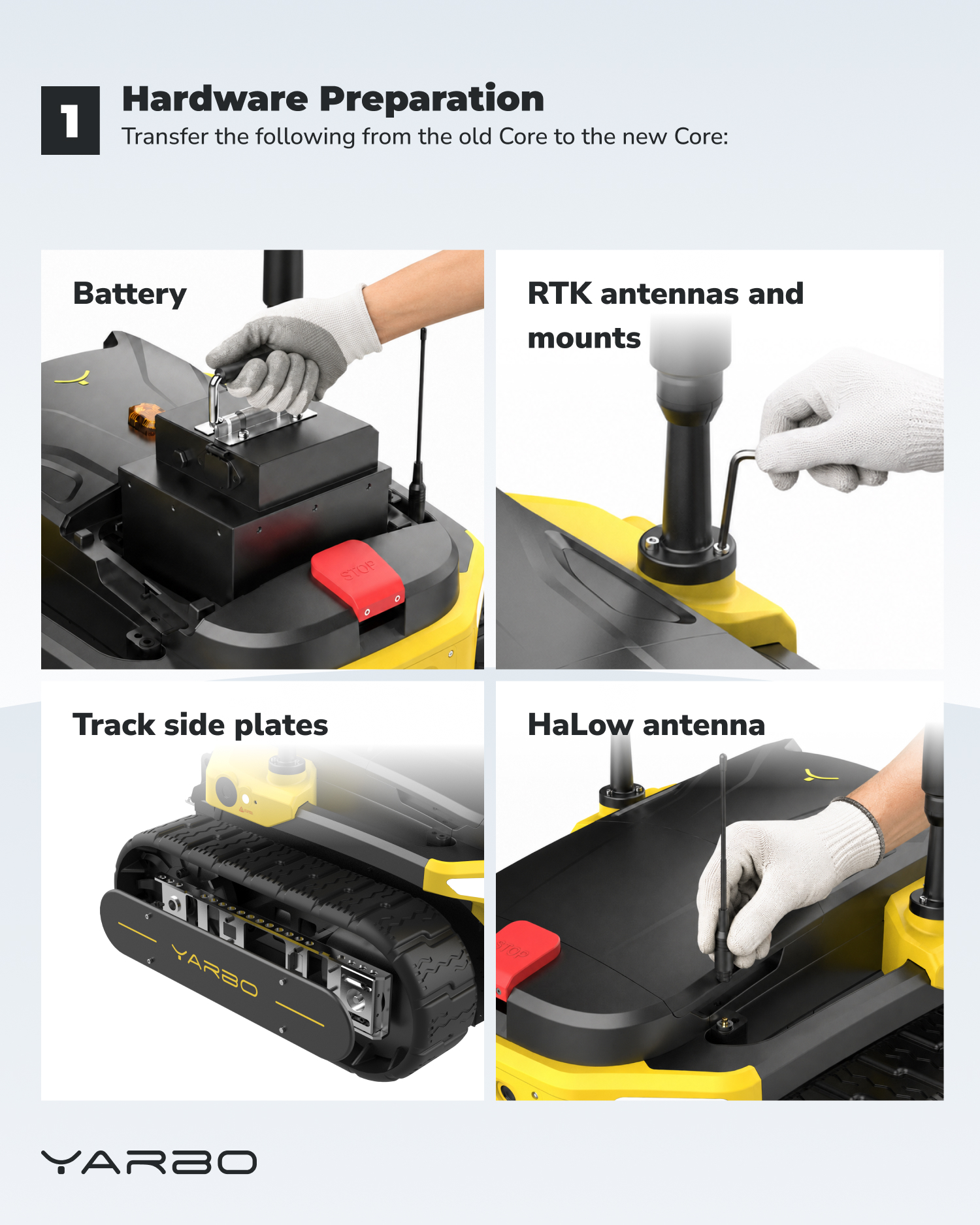
- Transfer the battery, RTK antennas and mounts, track side plates, and HaLow antenna from the old Core to the replacement Core.
¶ 2. Connect and restore
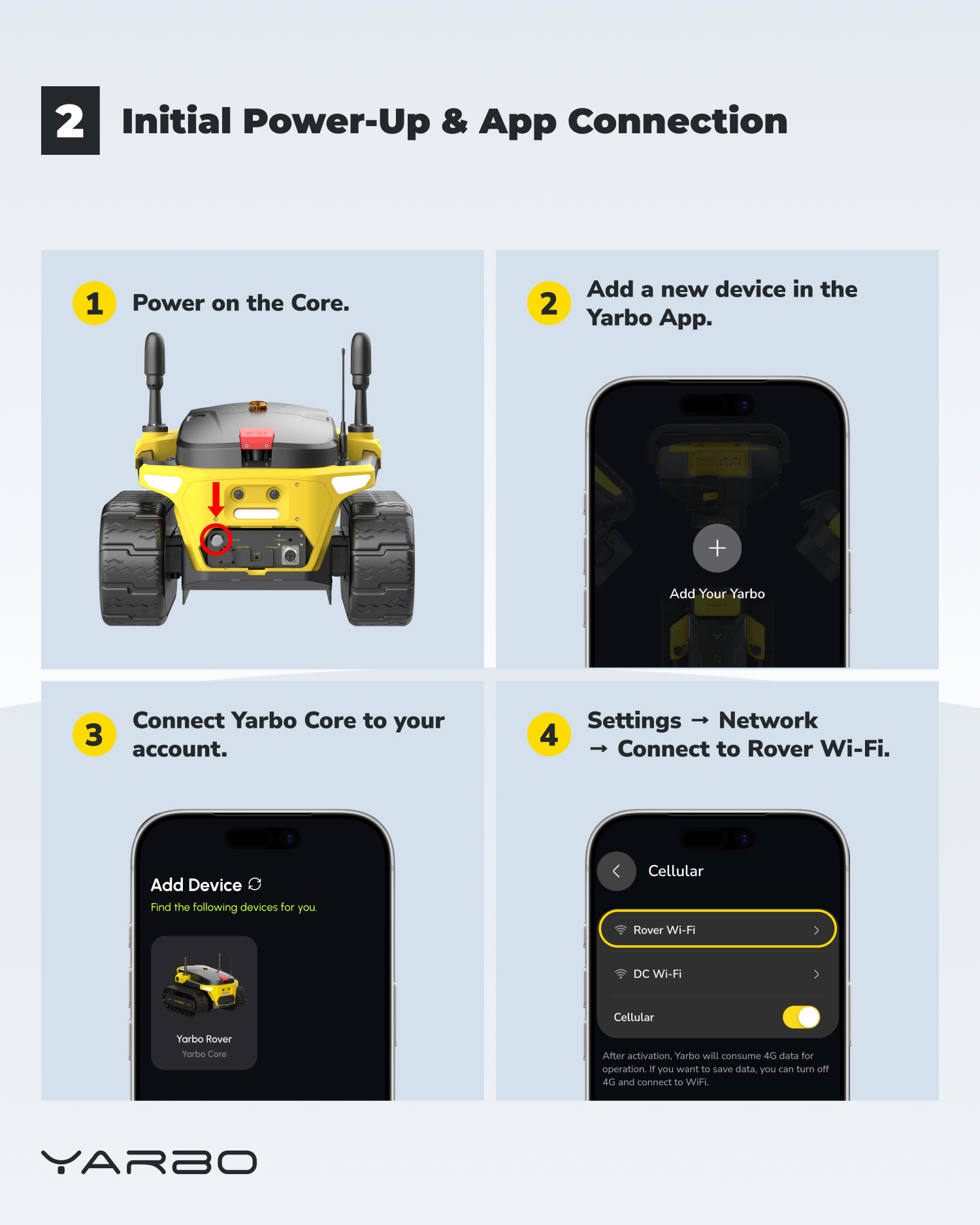
- Power on the new Core, add it in the Yarbo App, connect it to your account, then connect to Rover Wi-Fi.
- 📍Network: Settings → Network → Rover Wi-Fi
- 📍Map restore: Settings → Previous Maps → Cloud Maps → Select SN → Restore
- 📍Map drift error (if it appears): My Yard → three dots → Correct Map Drift
¶ 3. Check dock alignment and reset settings
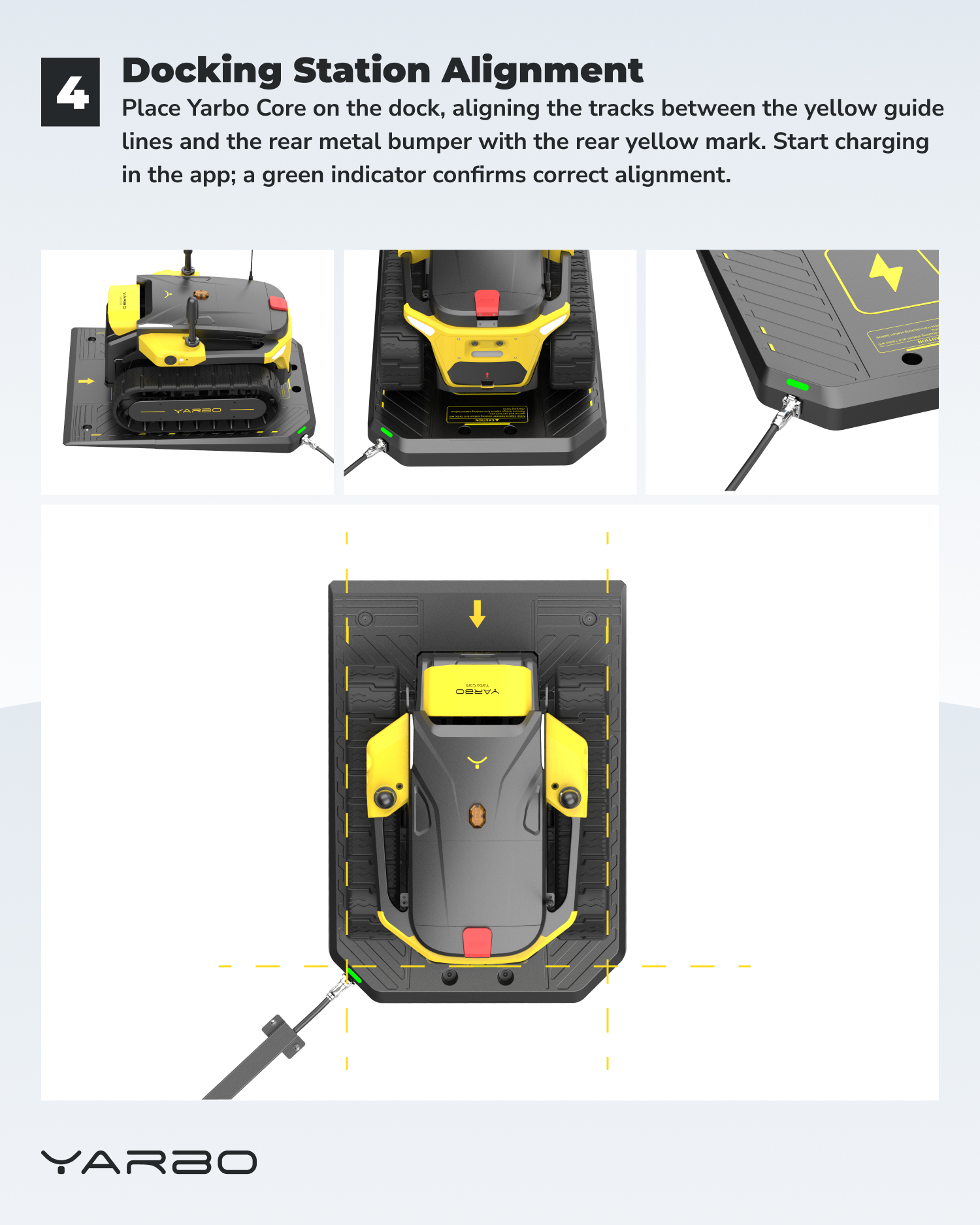
- 🟢 Place the Core on the Docking Station. The tracks should sit between the yellow guide lines, and the rear metal bumper should align with the rear yellow mark. Start charging in the app; a green indicator confirms correct alignment.
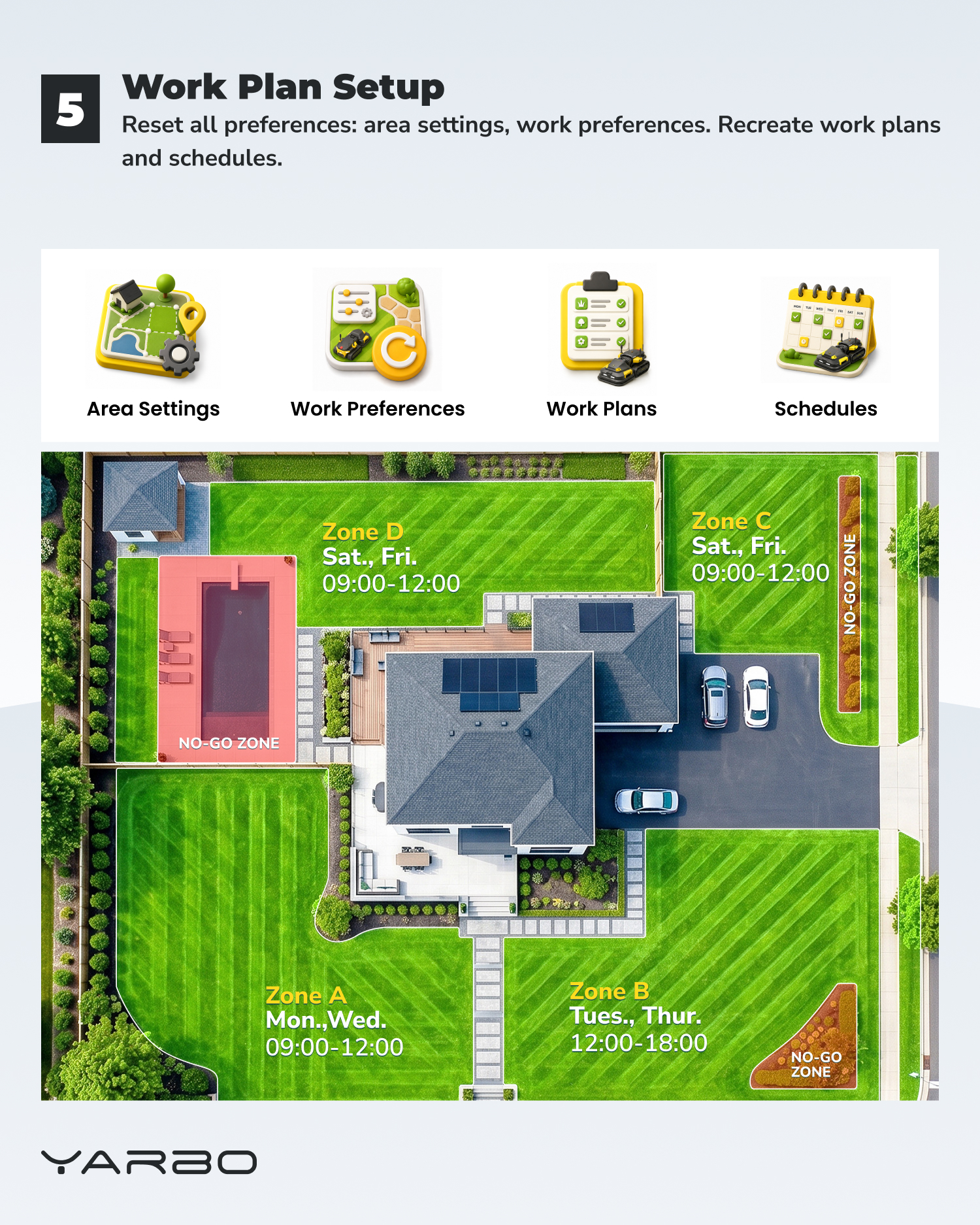
- ⚙️ After Core replacement, area settings, work preferences, work plans, and schedules need to be set up again.