¶ Feature App Path
Both Line Feed Frequency and Trimming Moving Speed are customizable Trimmer settings.
To adjust these settings:
Yarbo Settings → Work Preference
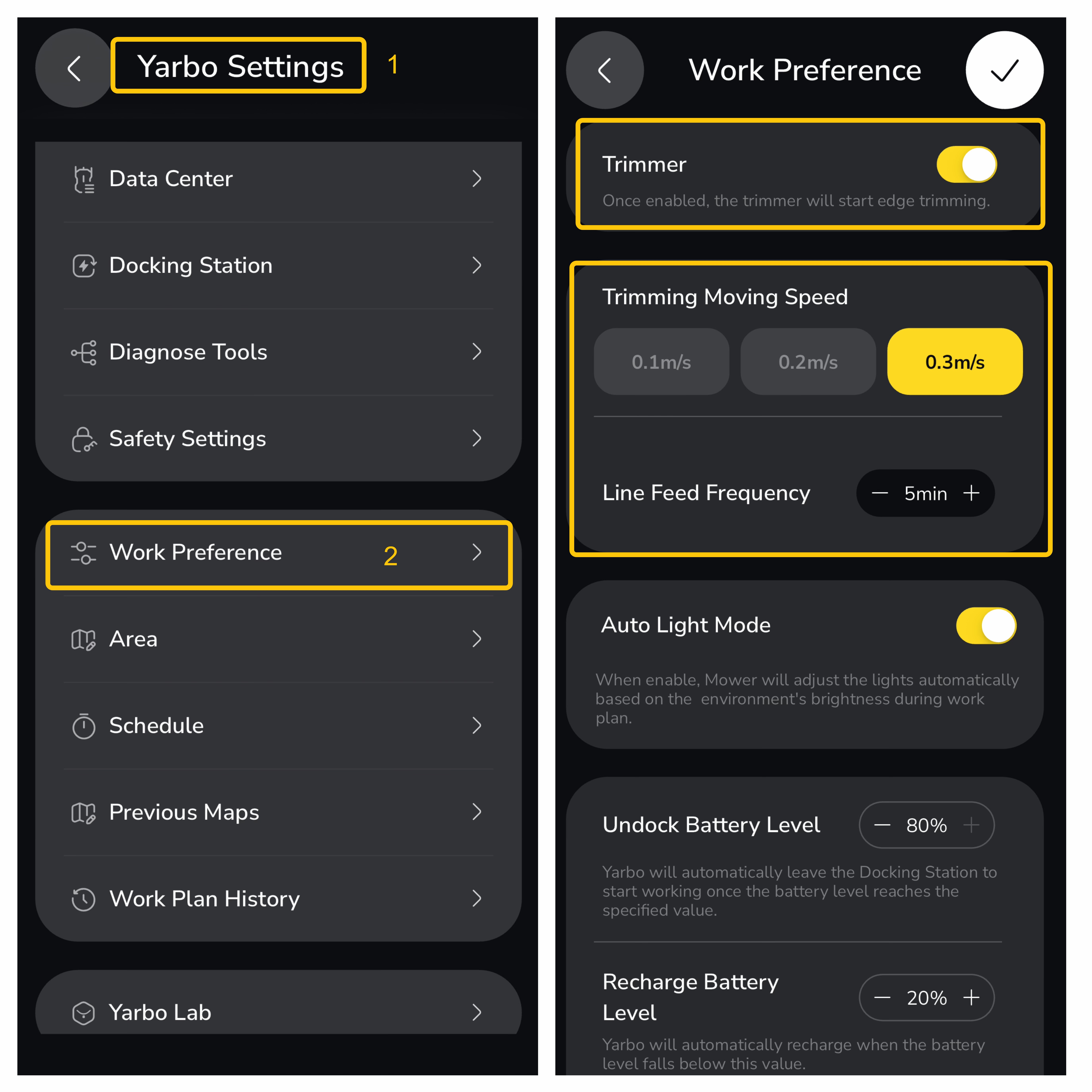
Note: Make sure Trimmer is enabled for these settings to take effect.
¶ Trimming Moving Speed
Trimming Moving Speed determines how fast Yarbo moves when the Trimmer function is enabled in the App.
Three speed options are available:
- 0.1 m/s
- 0.2 m/s
- 0.3 m/s
When the Trimmer motor is running, the Trimming Moving Speed setting takes priority over the speed configured in Area Settings.
- This ensures optimal trimming performance, as mowing speeds may be too fast for effective edge trimming.
- It also improves precision and operational stability when the Trimmer is working near fences, borders, and other obstacles.
When the Trimmer is not active, Yarbo will follow the movement speed defined in Area Settings.
¶ Line Feed Frequency
Line Feed Frequency is one of the key settings of the Yarbo Trimmer Module. It determines how often the trimmer automatically feeds out new cutting line during operation.
You can adjust this setting based on grass conditions, terrain complexity, and moisture levels:
- If trimming performance decreases or the line wears out quickly, choose a higher feed frequency (e.g., every 3 minutes).
¶ Additional Information
When selecting a trimming speed:
- Higher speeds improve efficiency and reduce trimming time, but may result in less precise cutting.
- Lower speeds provide more accurate trimming results, but require more time to complete the task.
For the best balance between efficiency and cut quality, choose the setting that matches your lawn conditions and trimming requirements.