The App homepage only displays how the Core is accessing the internet. It does not show the direct HaLow connection status.
To check HaLow connection:
- Go to the App’s Diagnose page
- Look at HaLow Connection status (True/False)
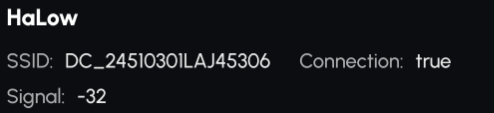
¶ How to Read the Status
True → HaLow is connected, but if the homepage doesn’t show HaLow, it means your Data Center has no internet connection, so the Core cannot access the internet through HaLow.
False → HaLow is not connected. In this case, please contact Yarbo Support for assistance.
When your mobile device is connected to Yarbo via Bluetooth, the icon will prioritize displaying the Bluetooth connection status, regardless of other network connections.
When Bluetooth is not connected, the icon will reflect the actual data transmission method used by Yarbo.