¶ Steps to Change Length Units
¶ Step 1: Open the App Main Page
Make sure you are on the main dashboard screen of the Yarbo app.
¶ Step 2: Tap the Profile Icon
| In the top-right corner of the main page, tap the Profile icon. |
 |
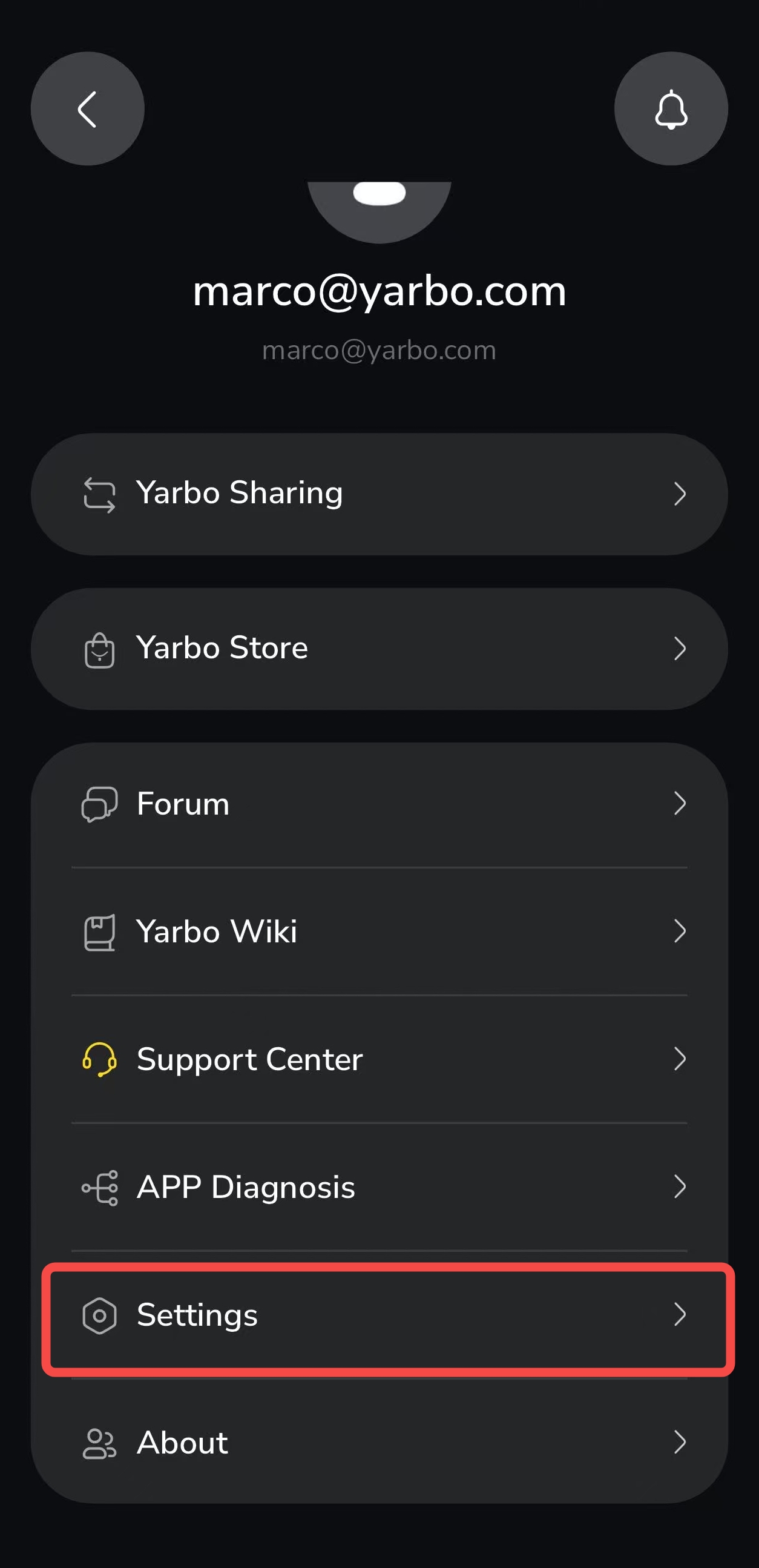
¶ Step 3: Go to Settings
| Inside the profile page, enter Settings. |
 |
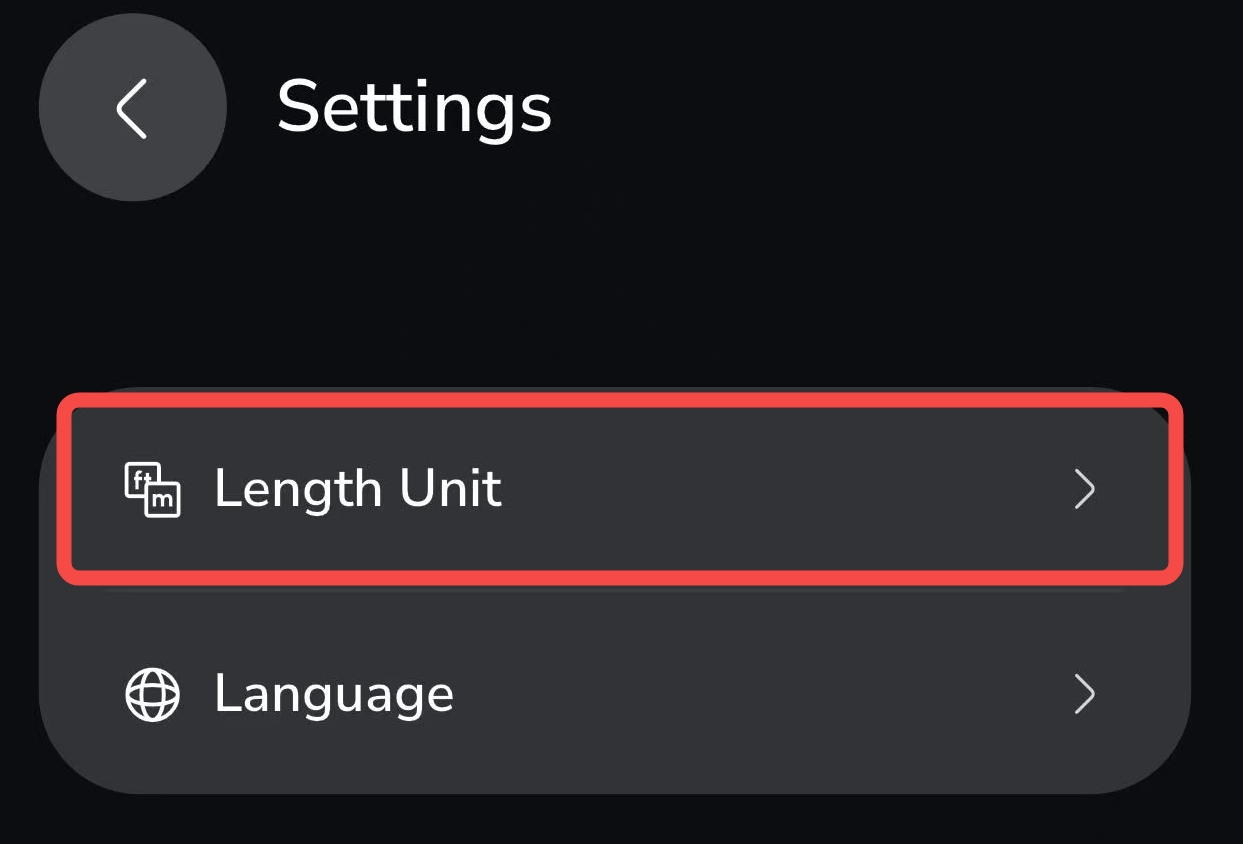
¶ Step 4: Find “Length Units”
| Scroll to locate the Length Units option. |
 |
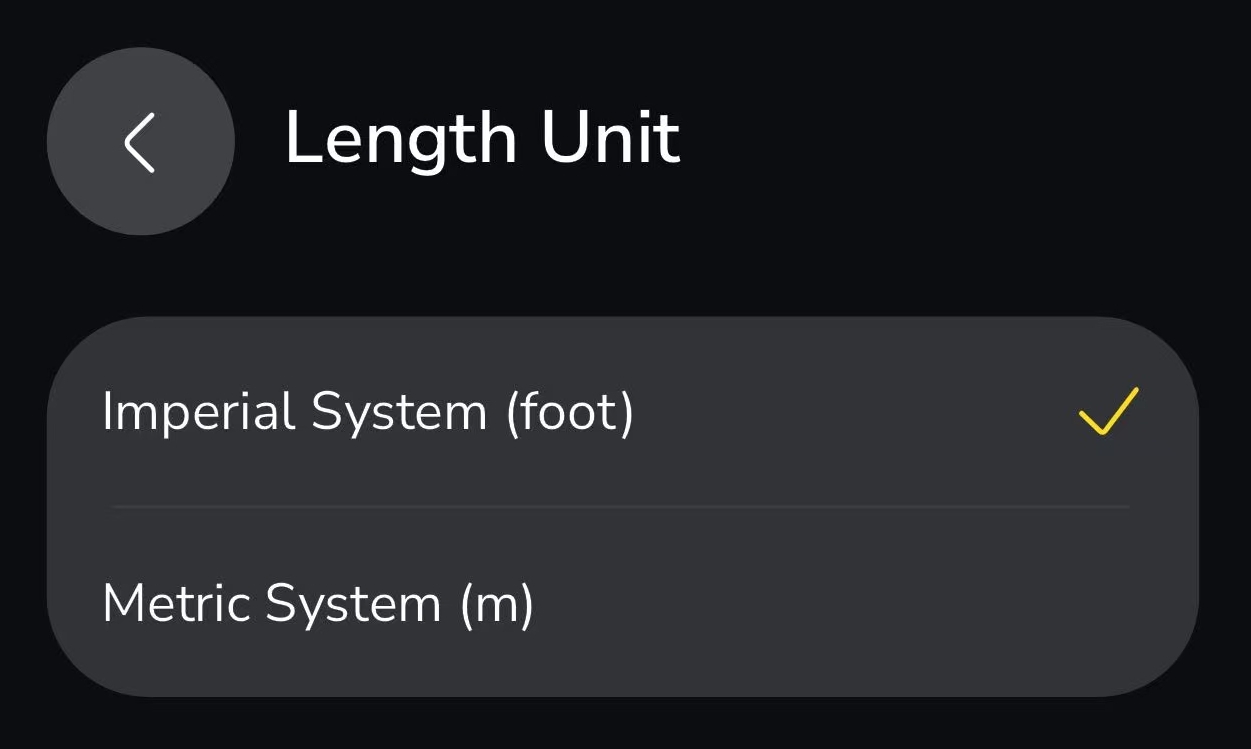
¶ Step 5: Select Your Preferred Unit System
|
You can choose between:
Once selected, the unit system will update throughout the app. |
 |