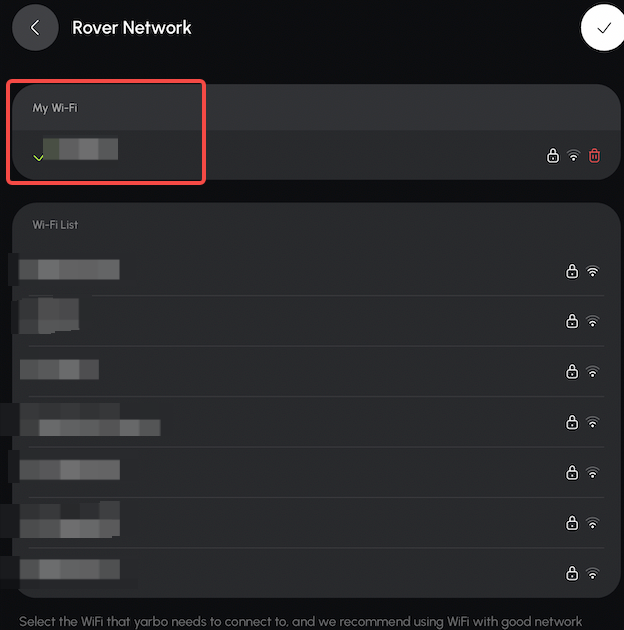
There are two ways to configure Rover Wi-Fi in the Yarbo App.
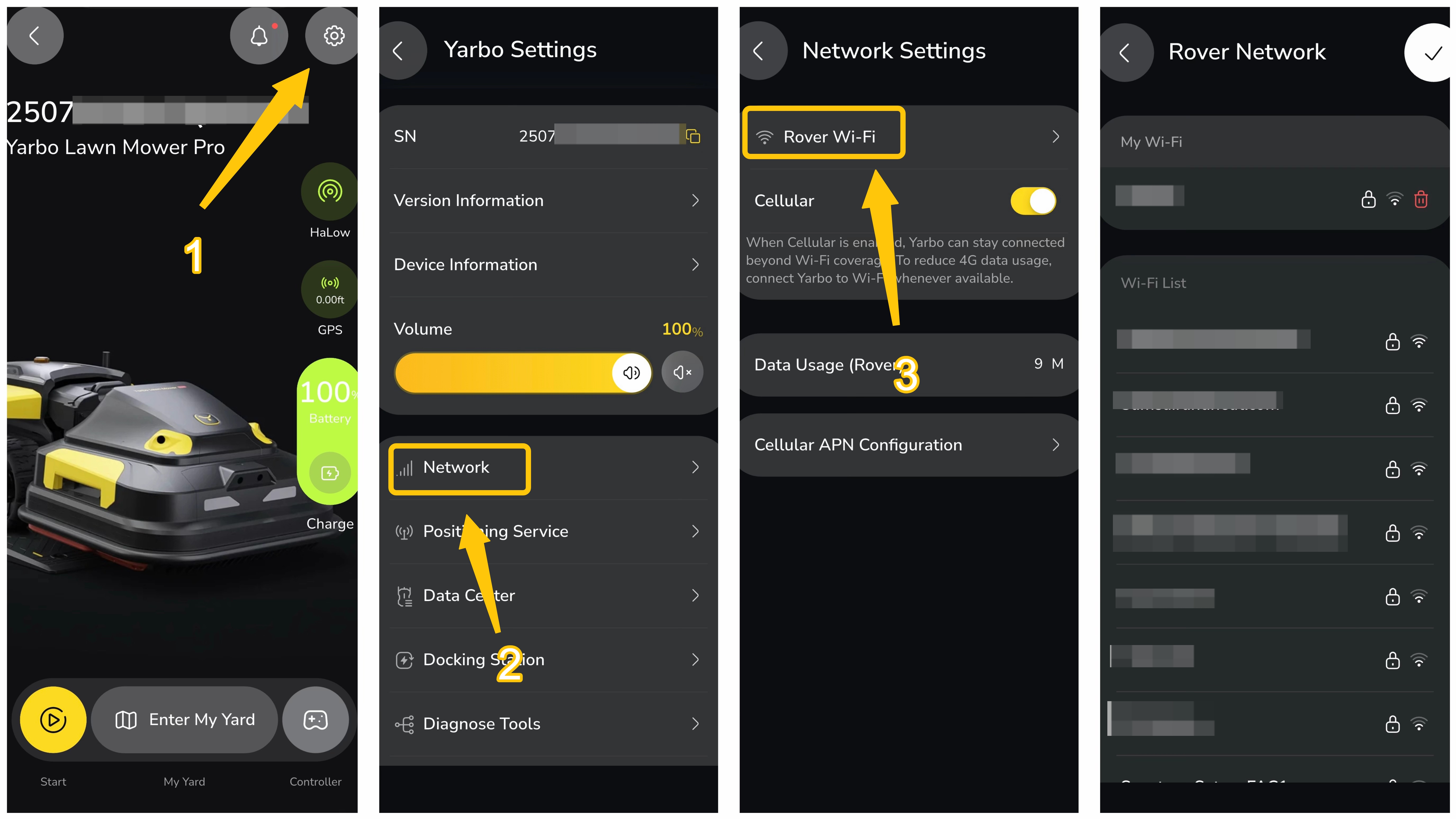
¶ Method 1: From Yarbo Settings
Setup Steps:
- After pairing your Yarbo via Bluetooth in the app, tap the settings button in the top-right corner
- Go to: Yarbo Settings → Network → Rover Wi-Fi
- Select your Wi-Fi network and enter the password to connect.
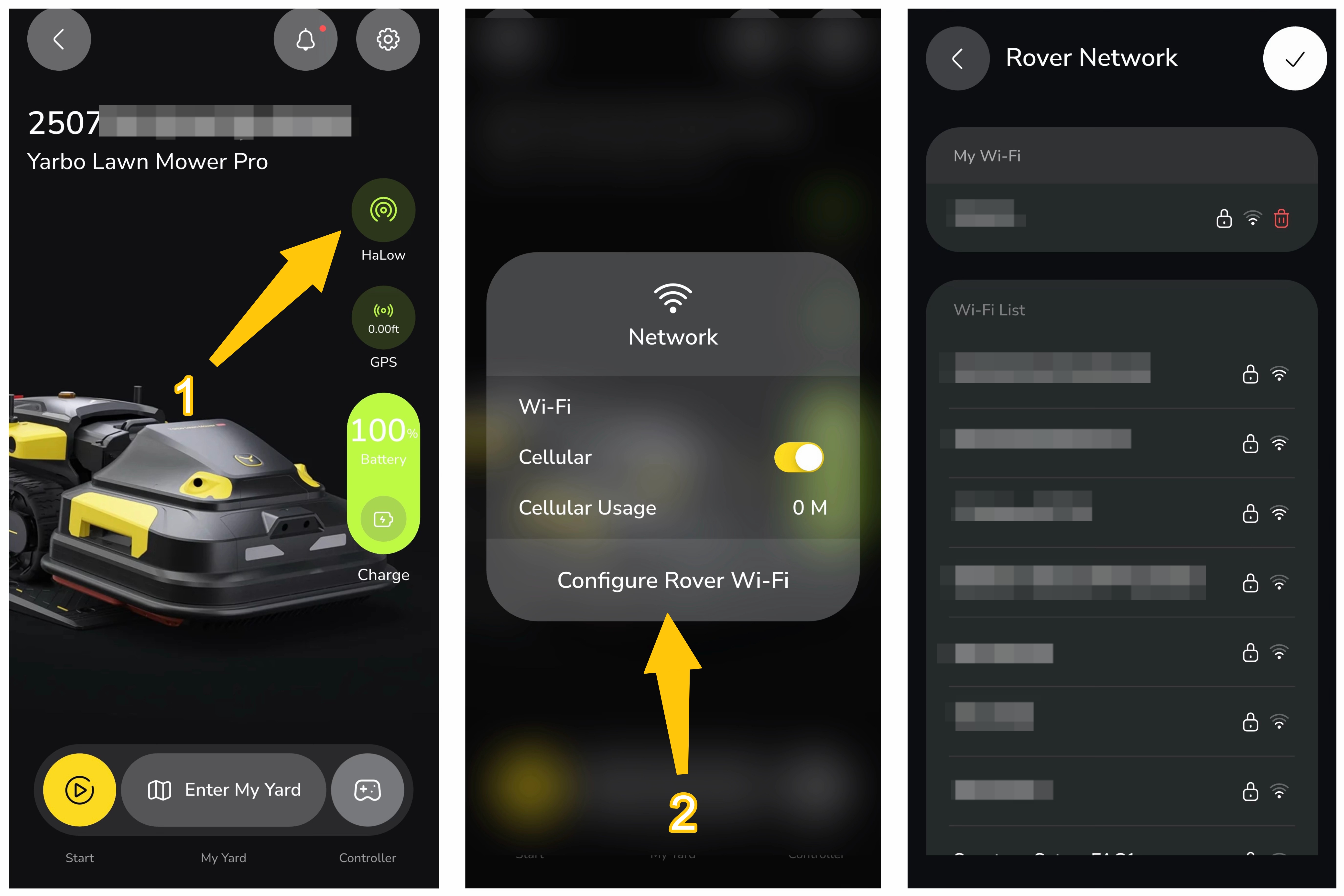
¶ Method 2: From the Home Screen
Setup Steps:
- Tap: Network icon → Configure Rover Wi-Fi
- Select your Wi-Fi network and enter the password to connect.
Once you see a green checkmark, the configuration is successful