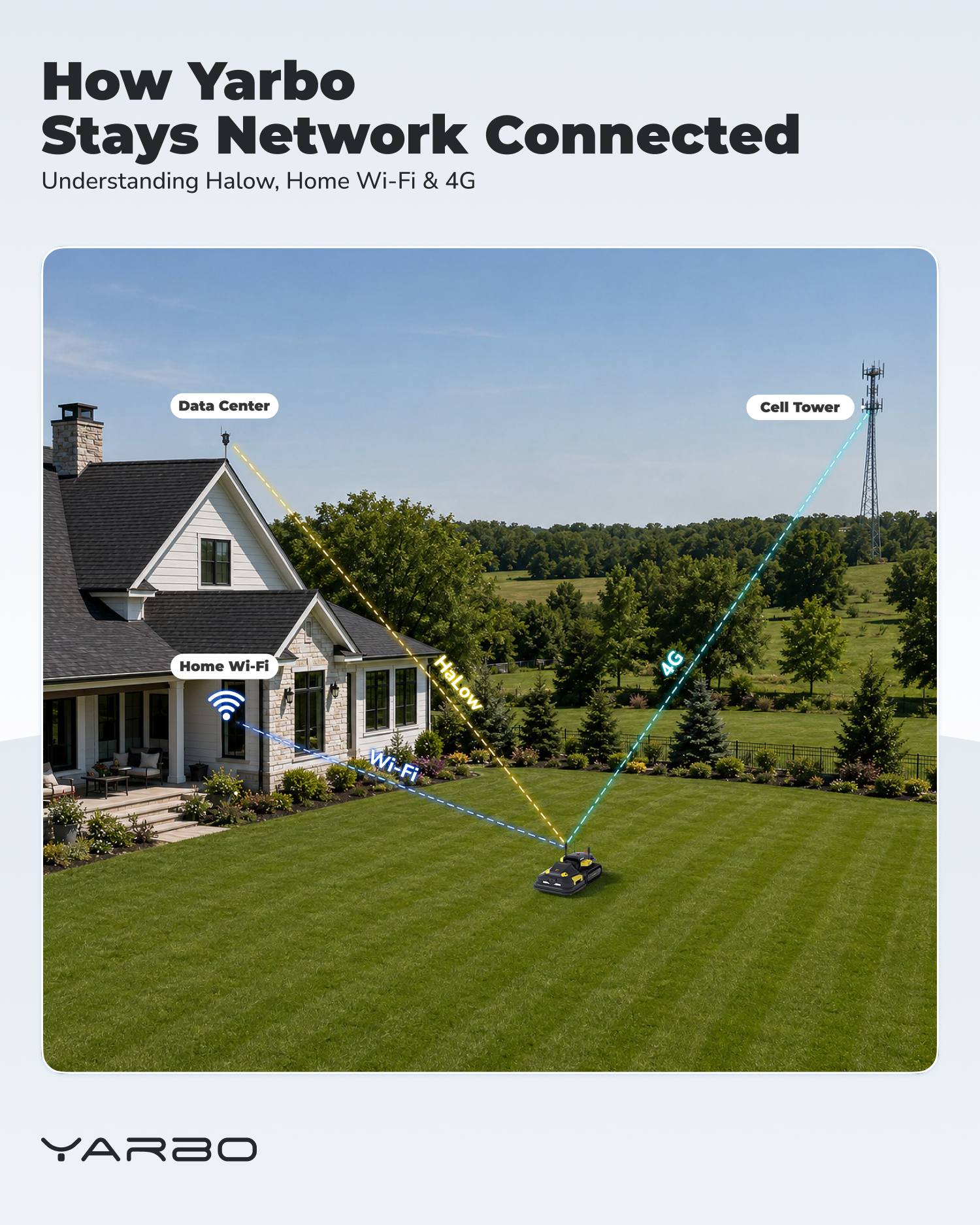
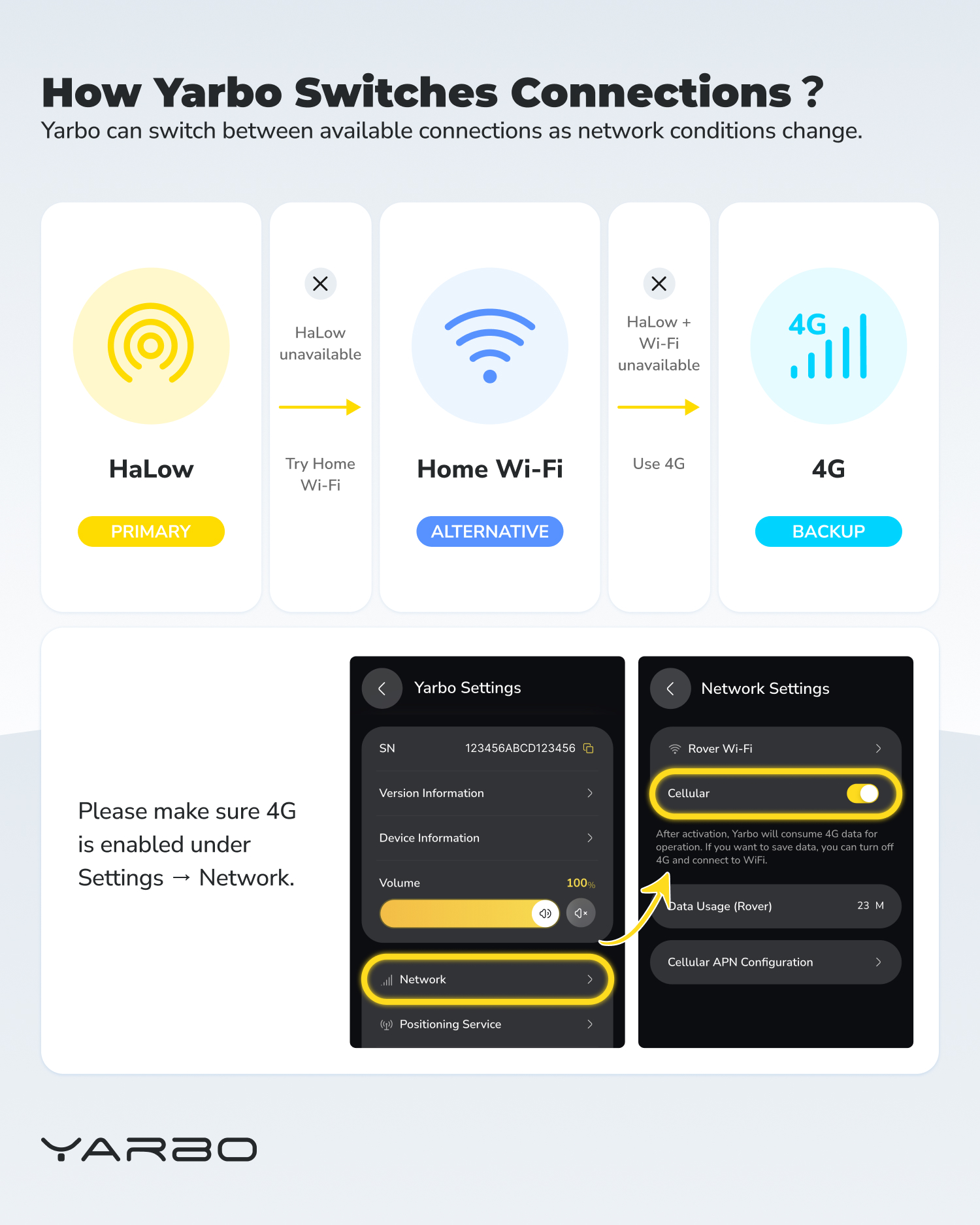
Yarbo doesn’t rely on just one network connection. As network conditions change around your property, it can use different connection options to help stay connected.
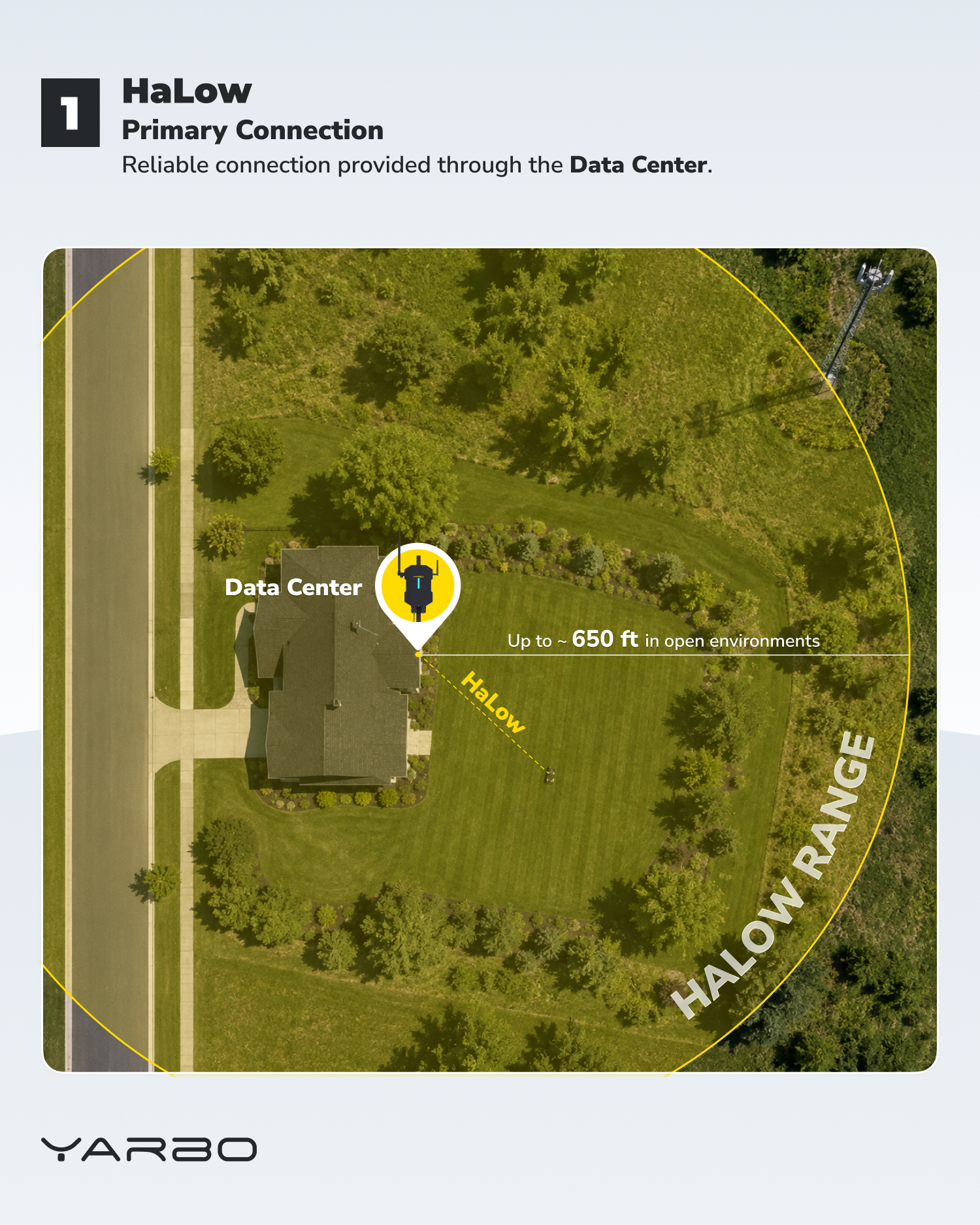
- 📡 HaLow — Primary connection through the Data Center
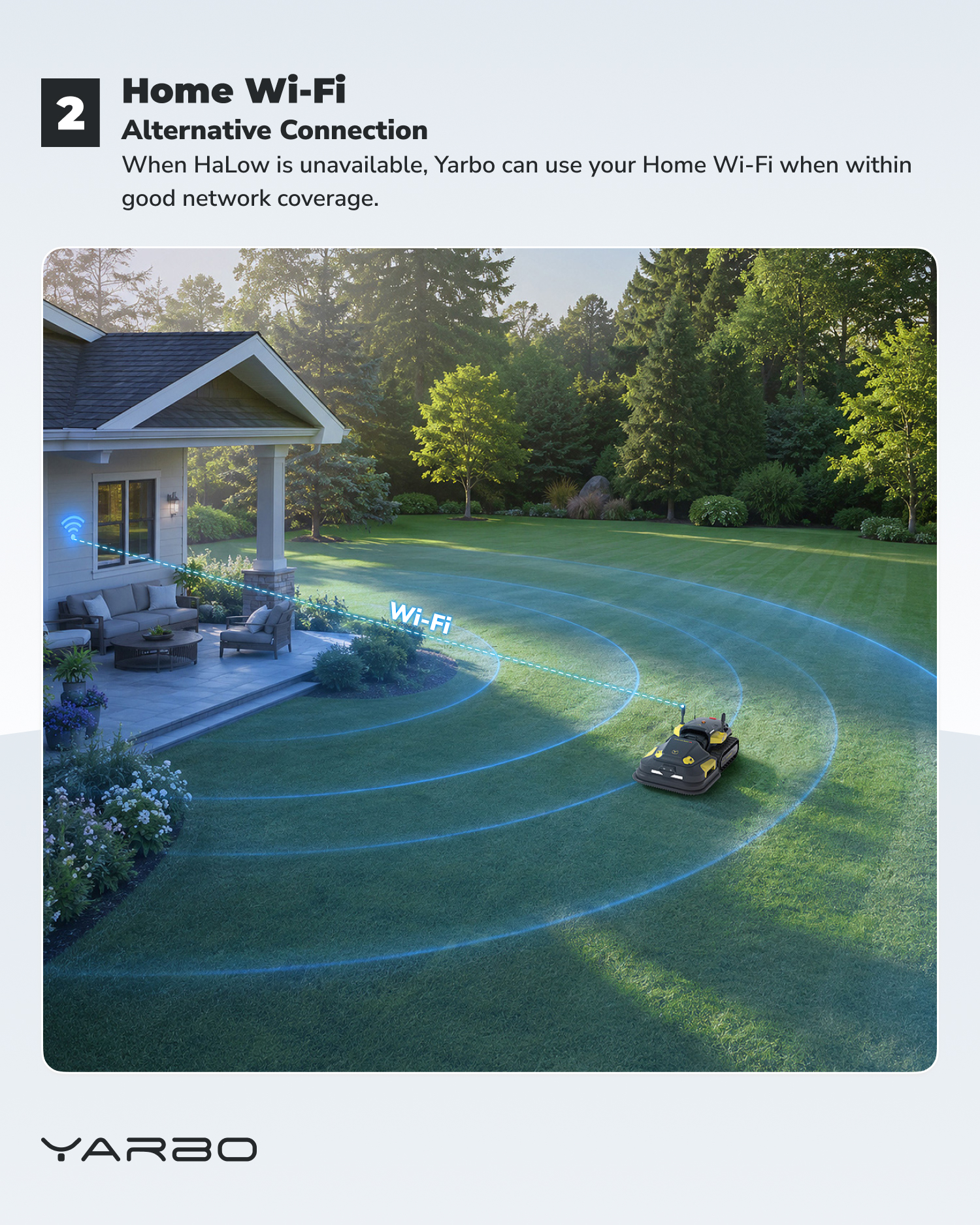
- 🏠 Home Wi-Fi — Alternative connection when available
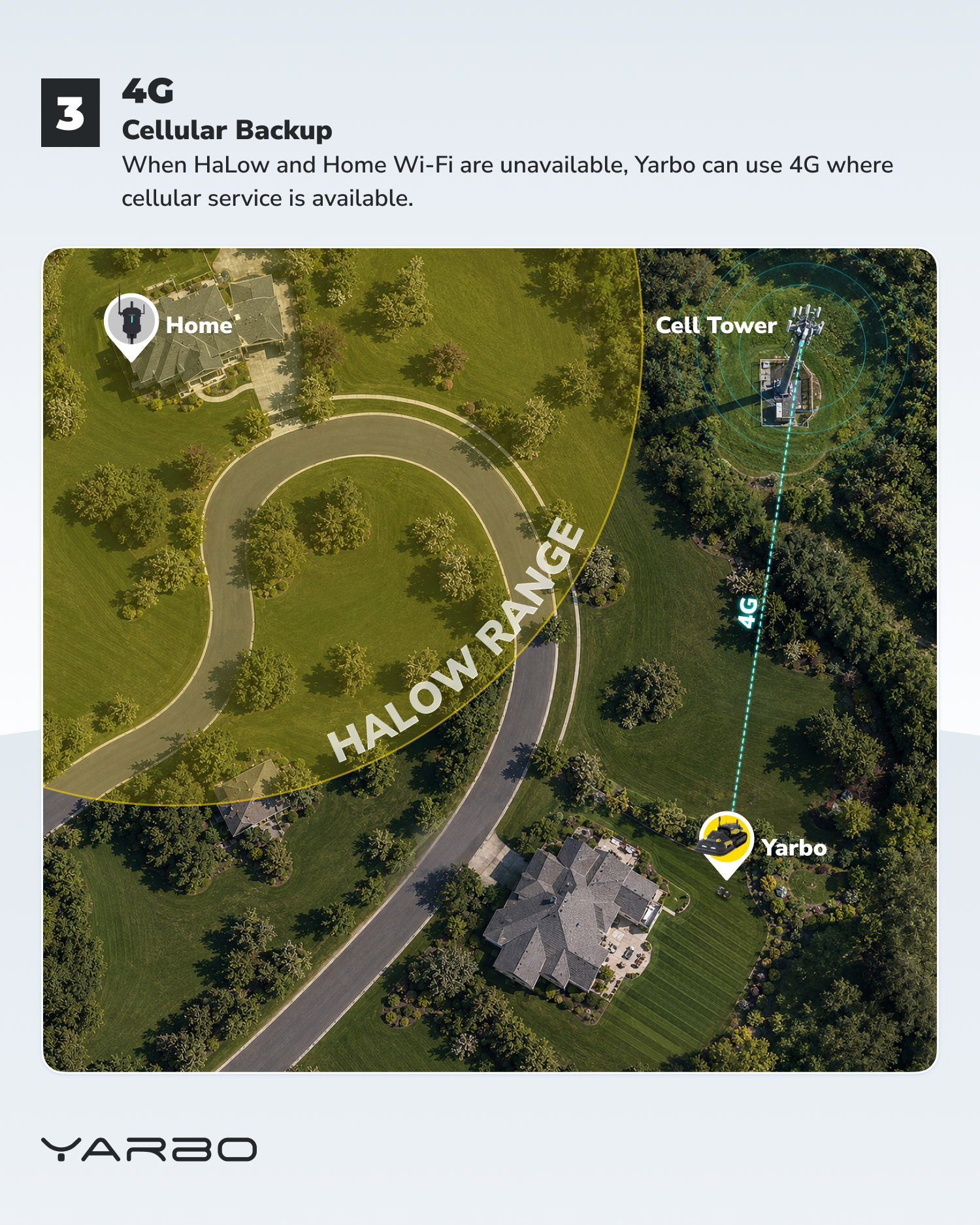
- 📶 4G — Cellular backup when HaLow and Wi-Fi aren’t available
¶ The simple way to remember it:
- HaLow → Home Wi-Fi → 4G
- Primary → Alternative → Backup
- Swipe through the guide to see how each connection works and when Yarbo uses it.
💡 Tip: If you want 4G available as a backup, make sure it’s enabled under Settings → Network.