¶ Schedule Feature for the Blower
- The blower now supports the Schedule feature.
- You can set up schedules within custom time windows, following the same logic and workflow as mowing schedules.
¶ Smart Blowing Mode for the Blower
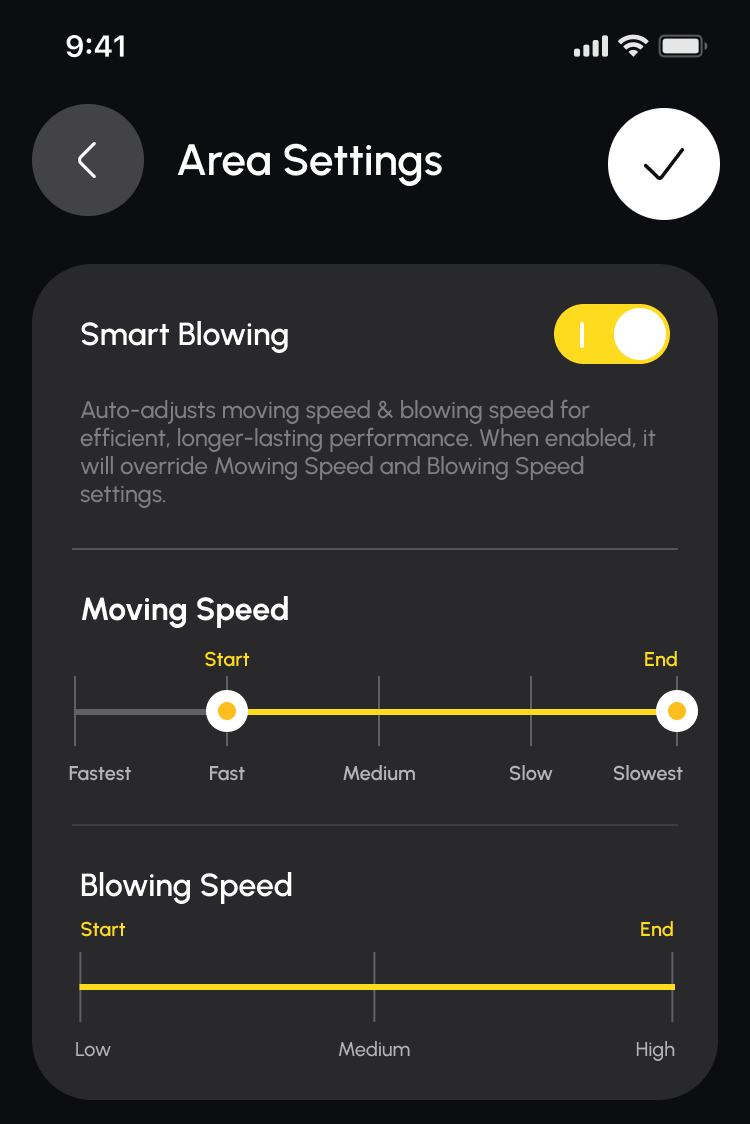
The blower now supports the Smart Blowing feature, which can be enabled on the Area Settings page.
|
When Smart Blowing is enabled, the system dynamically adjusts operation parameters based on plan progress:
|
 |
Please note:
- When Smart Blowing is enabled, manually set Moving Speed and Blowing Speed will not take effect.
- Smart Blowing cannot be turned on or off while the unit is in motion.
¶ Delete Mode to Trimming Edge Drawing
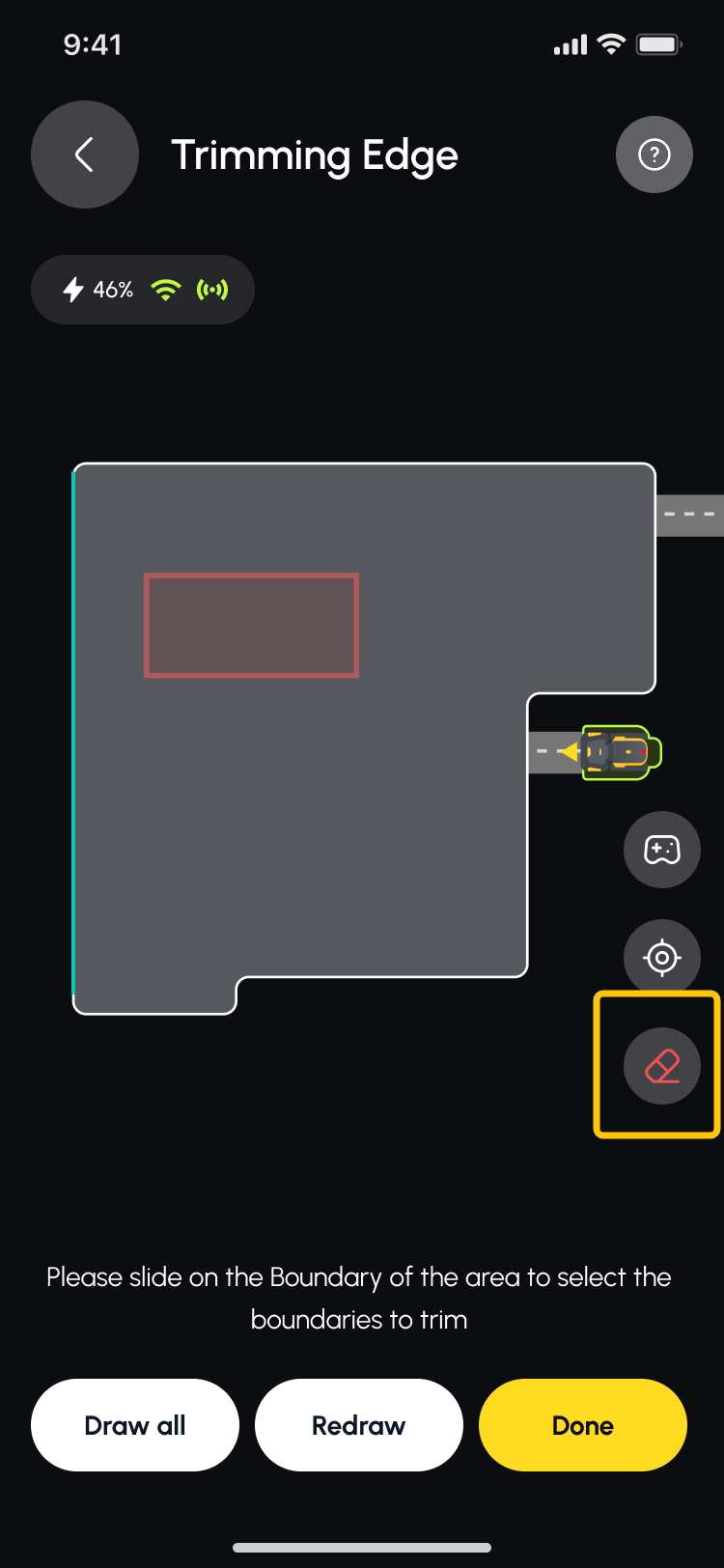
| While drawing the trimming edge, you can tap the eraser icon to enter delete mode. Once in delete mode, simply slide along the boundary of the area to select and remove the trimming edge you want to delete. |
 |
¶ Map Label-Based Routing
We’ve introduced label-based weighting to guide how the rover chooses its travel path. When moving between different areas or traveling to and from the docking station, the system now prioritizes area labels in addition to other routing factors.
Example:
- When Snow Blower areas are labeled, the snow blower will prefer traveling through those areas when moving between areas or heading to the dock.
- If no area labels are configured, the snow blower will default to the shortest available path.
- If the Snow Blower starts a plan within a mowing area, it will continue to use that mowing area based on the starting context.
- If a mowing area is the only connected route, the snow blower will still pass through it, as it is the only viable corridor.
¶ Backward Feature When Mapping
|
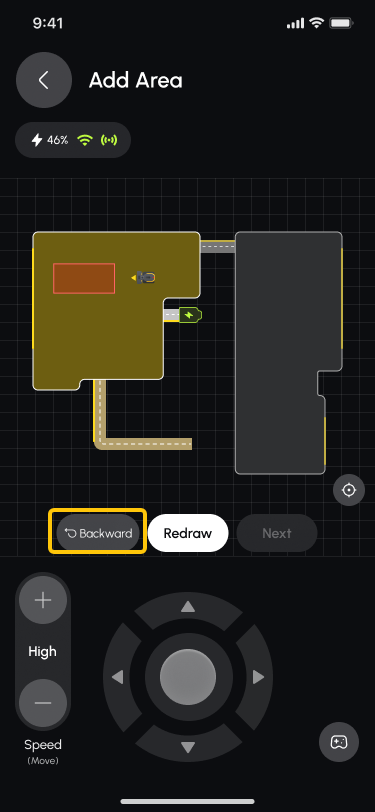
When drawing a map, you can now use the backward feature to retrace sections of the path you’re not satisfied with or where GPS signal was lost. Press and hold the backward button to make the rover follow the most recently drawn path in reverse, and release the button to stop the movement. Please note that obstacle avoidance is disabled while using the backward feature, so keep the unit within sight during operation. |
 |
¶ Added Perimeter Direction to Area Settings
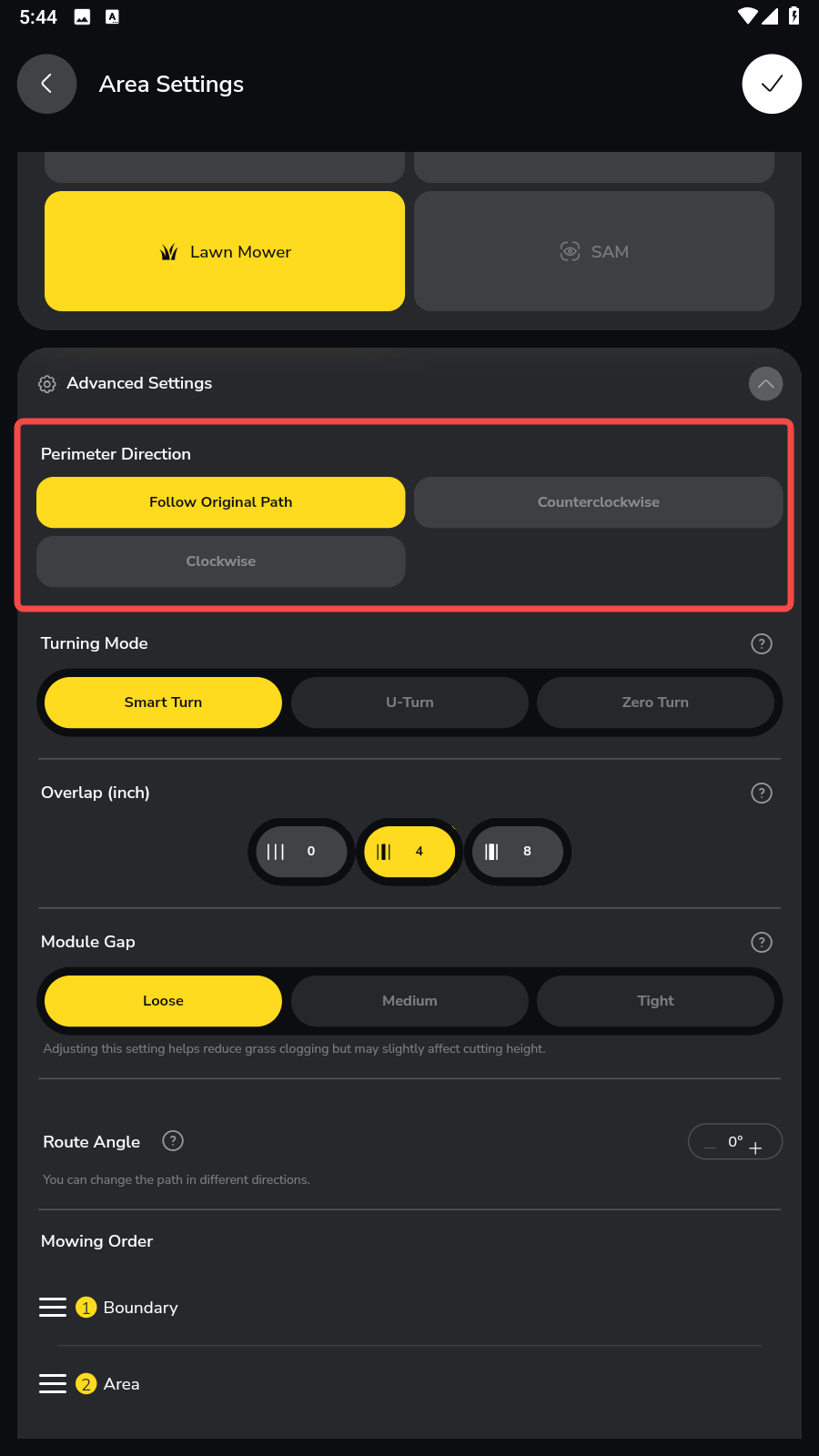
| You can now select the perimeter direction for operations with the Lawn Mower, Lawn Mower Pro, and Smart Assist module. Available options include Follow Original Path, Clockwise, and Counterclockwise. |
 |
¶ Smart Vision UI Optimization
| In the Smart Vision interface, you can now see Battery /Network / RTK status directly on screen, so you don’t need to go back to the main screen to check basic state. |
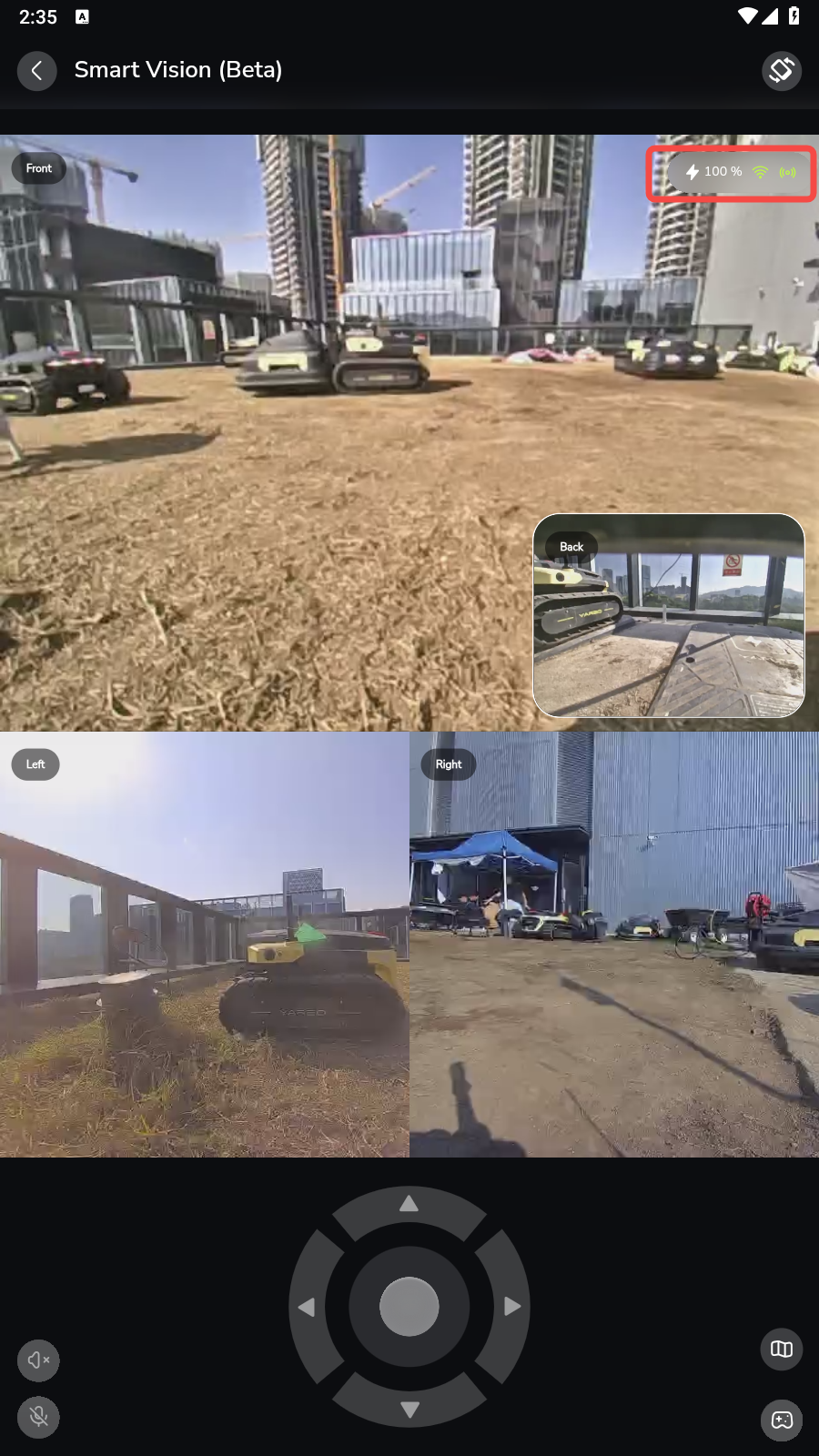 |
|
A Jump button has been added in both Smart Vision and Map View. From Smart Vision view, tapping this button during an autonomous plan takes you straight to the map view. Conversely, there is a button in map view that allows you to jump directly to Smart Vision. |
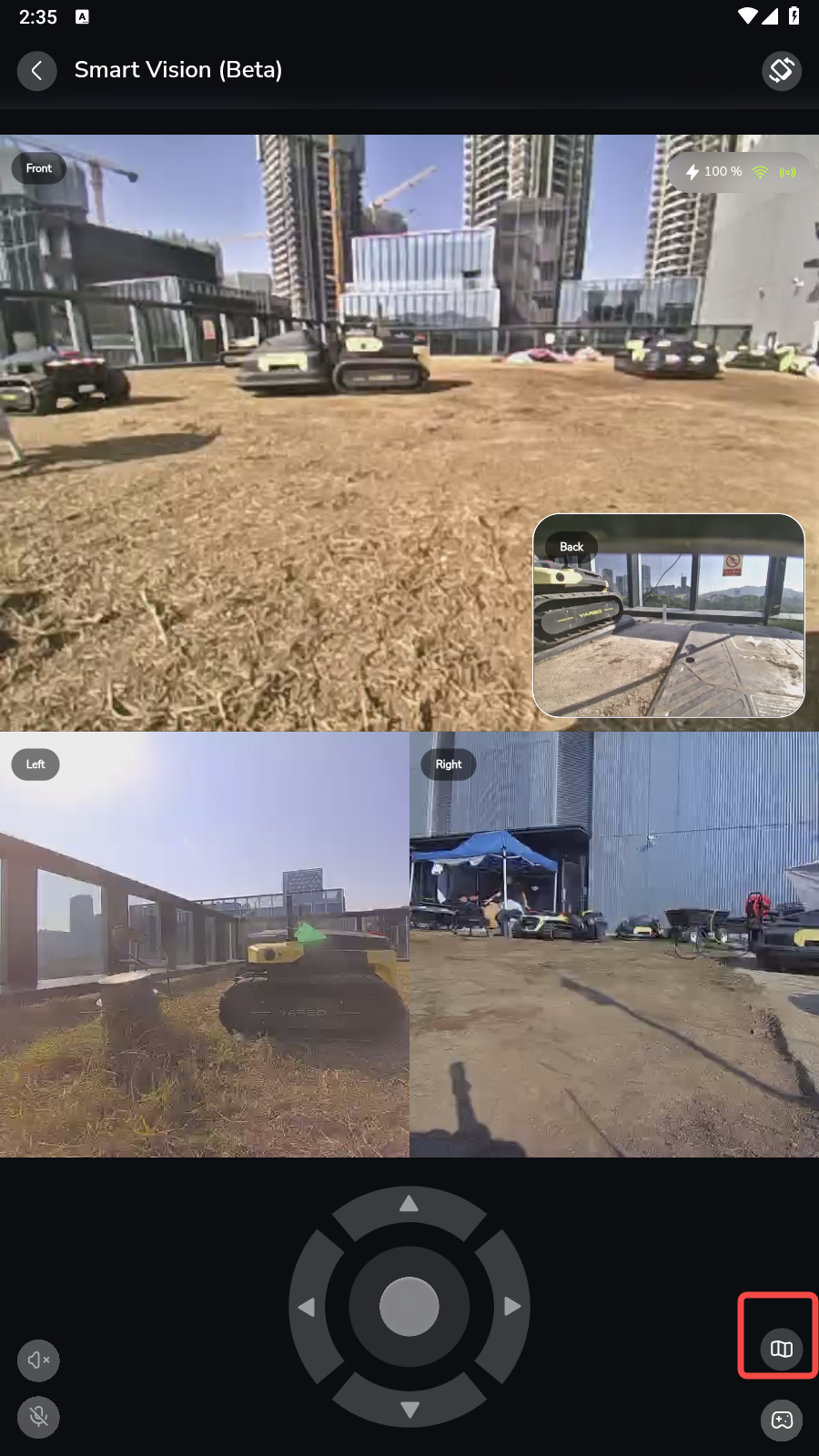 |
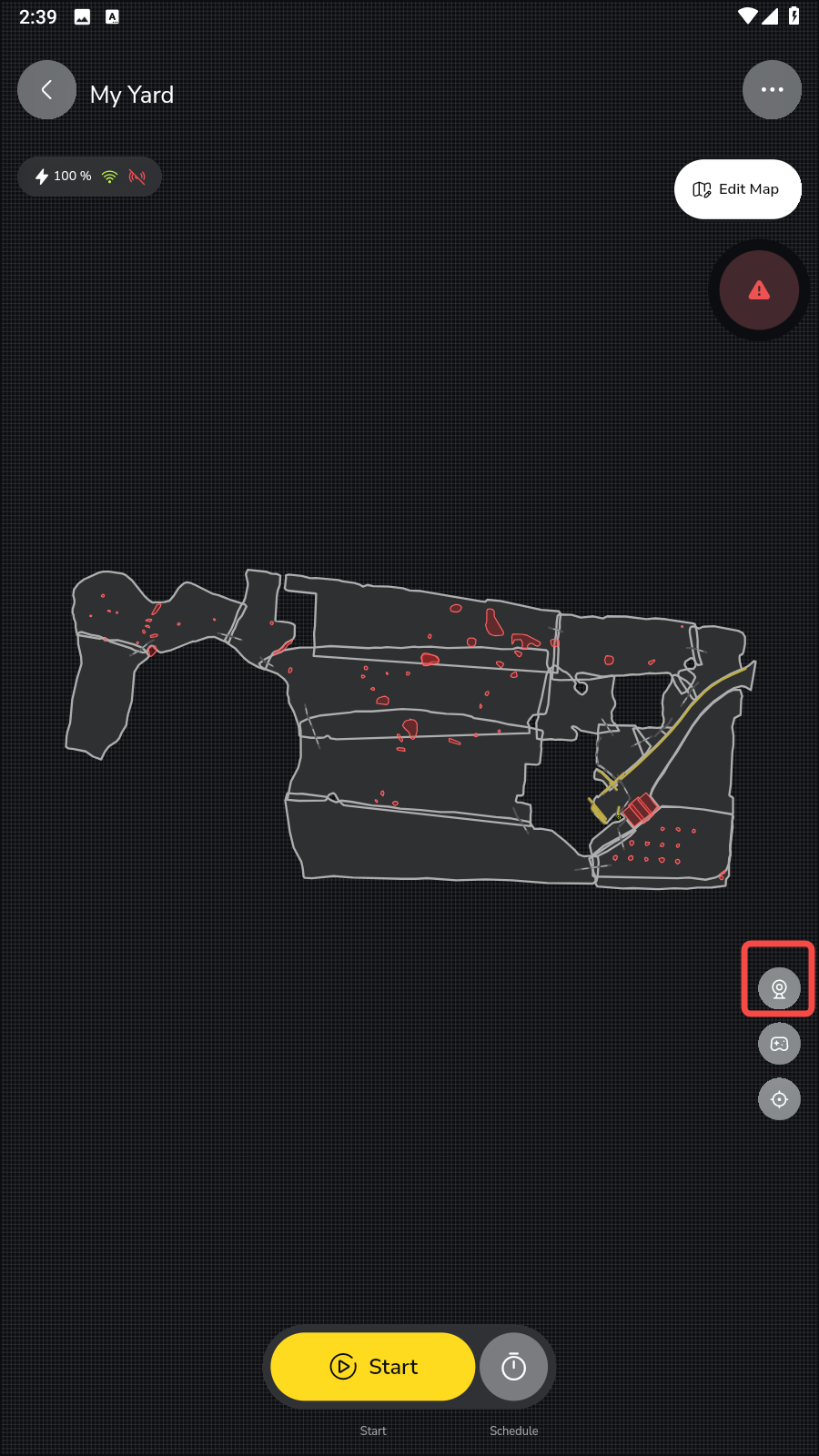 |
¶ Improved Snow Blower Unstuck Behavior
When track slippage is detected, the snow blower module is first raised to its highest position, followed by a reversing maneuver to attempt recovery.
Before issuing a stuck notification, the rover will make additional recovery attempts in different directions.
¶ Snow Throw Direction Timing Optimization
Fixed an issue where the chute adjustment lagged behind the rover’s motion, causing snow to be thrown in an unintended direction. The turning speed of the chassis and chute are now coordinated — if the chassis rotates faster, it will briefly slow so the chute can stay aligned. Throughout the turn, the chute will dynamically match the machine’s heading to ensure snow is thrown in the intended direction.
You may sometimes notice the snow blower briefly stopping at certain points. This is likely related to adjustments in the snow-throw direction logic. At specific locations, the snow blower may pause momentarily to adjust the chute direction before continuing operation.
¶ Added Estimated Time to the Preview Page
| In the area settings preview page, you can now view the estimated operation time. |
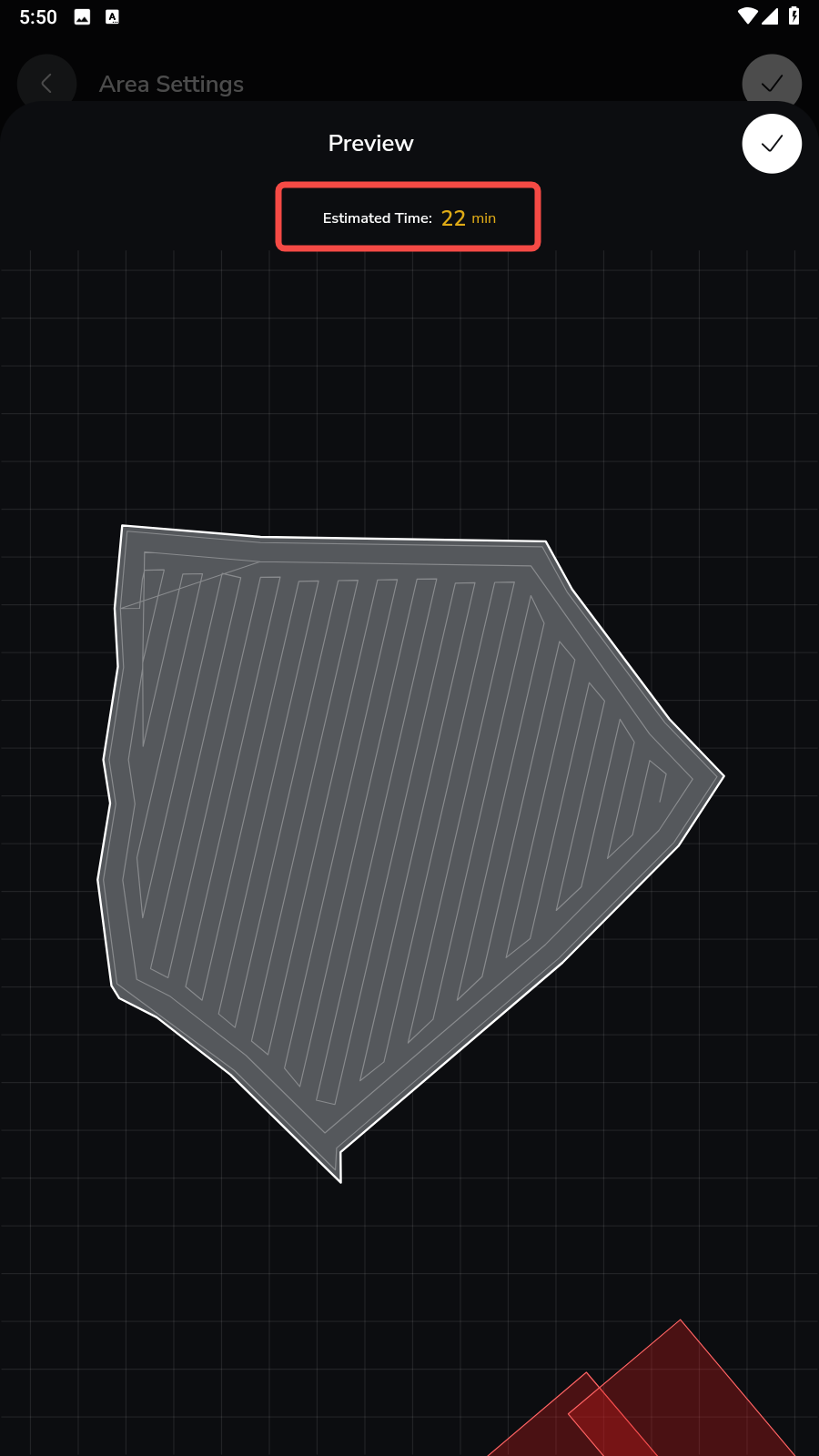 |
¶ Notes
¶ Recommended safety buffer setting
For reference, last snow season the default Safety Buffer was set to 8 inches. This year, we’ve introduced customization options. However, if you’re operating in low-tolerance environments, such as:
- Boundaries close to obstacles (walls, fences, parked vehicles)
- Areas that have experienced frequent collisions in recent builds
We strongly recommend temporarily reverting to an 8-inch safety buffer, then reducing it very gradually once snowblower stability has been confirmed. This approach helps maintain predictable robot behavior while we continue refining edge-following performance.
¶ No-Go Zone Related Rules
After this update, if a NGZ fully blocks the valid passage within a working area, the layout will be treated as an invalid (illegal) plan geometry.
In previous firmware versions, the rover might attempt to cut across such areas, but this safety loophole has now been closed. As a result, while a preview may still be generated, the plan will not start.
¶ Smart Vision Version Compatibility
Smart Vision cannot be used if the app version does not match the firmware version(App must be updated to the newest version).
¶ Lighting Issue
Right after completing the firmware update, you may temporarily notice that all the lights turn on while Yarbo is charging on the docking station.
This is a known, temporary issue.
The lights will turn off automatically once the machine enters standby mode, usually within about five minutes.