¶ Article Creation Guide for Contributors
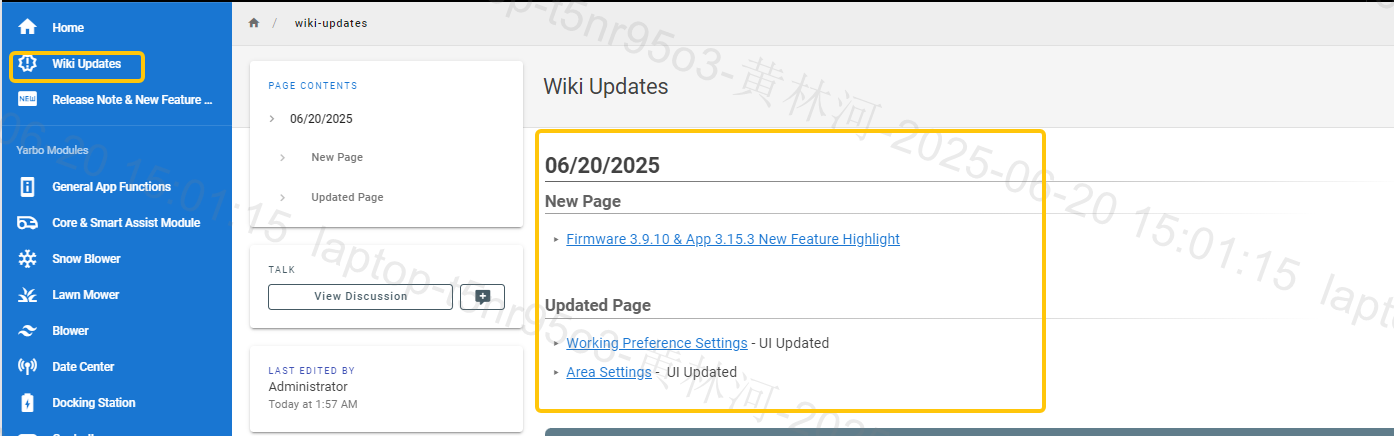
¶ 1. Log into the Wiki and navigate to the Contributor Submission Page
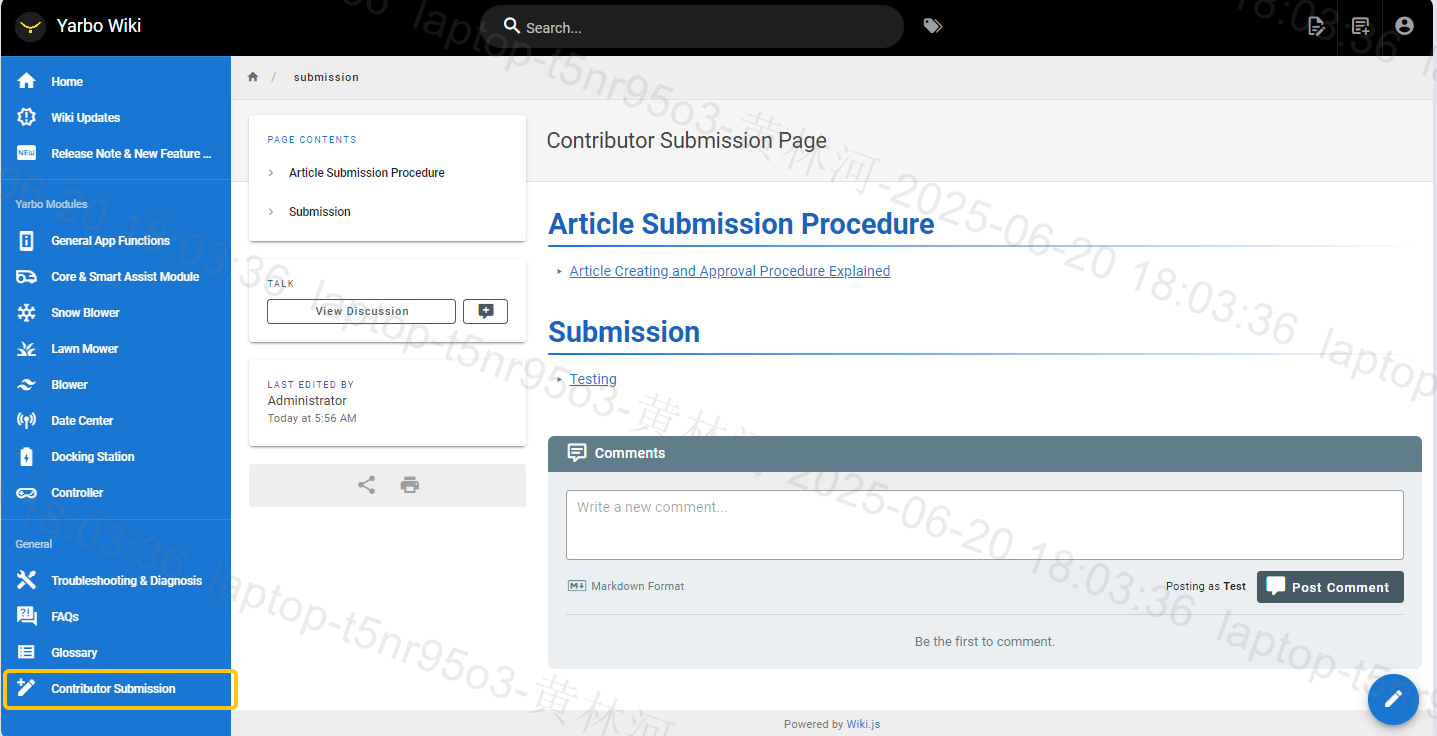
¶ 2. Click the Create New Page button located in the top-right corner
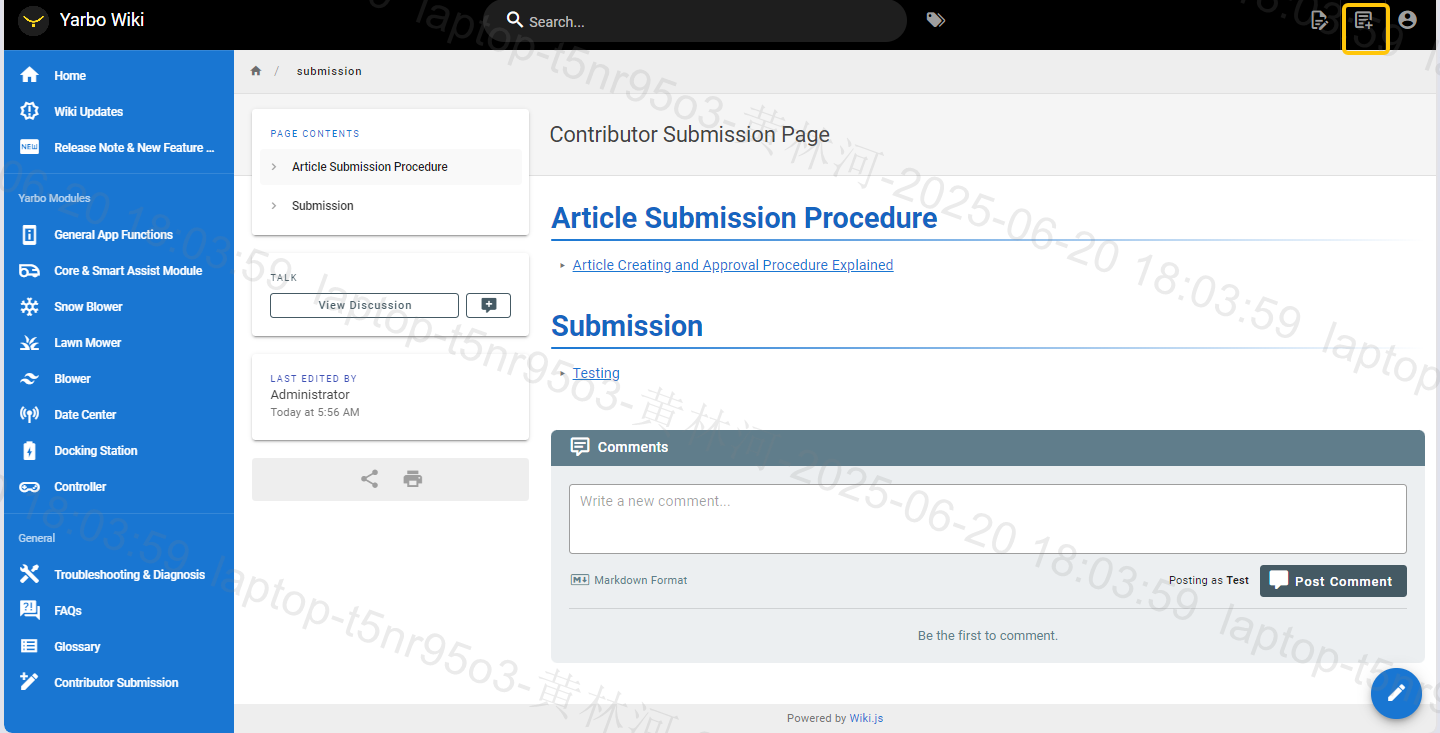
¶ 3. In the left-side folder menu, select the Contributor Submission Page folder.
Type your desired article title using dashes (-) to separate words (e.g., /submission/trimmer-setup-guide) to create new page path. Click Select to proceed
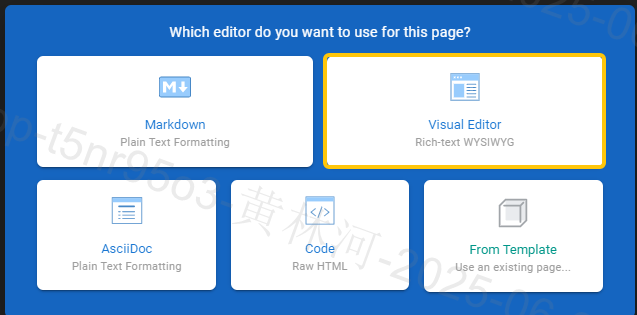
¶ 4. Choose your preferred editor
We recommend the Visual Editor for its simplicity and ease of use.
Advanced users may select other editor models if preferred.
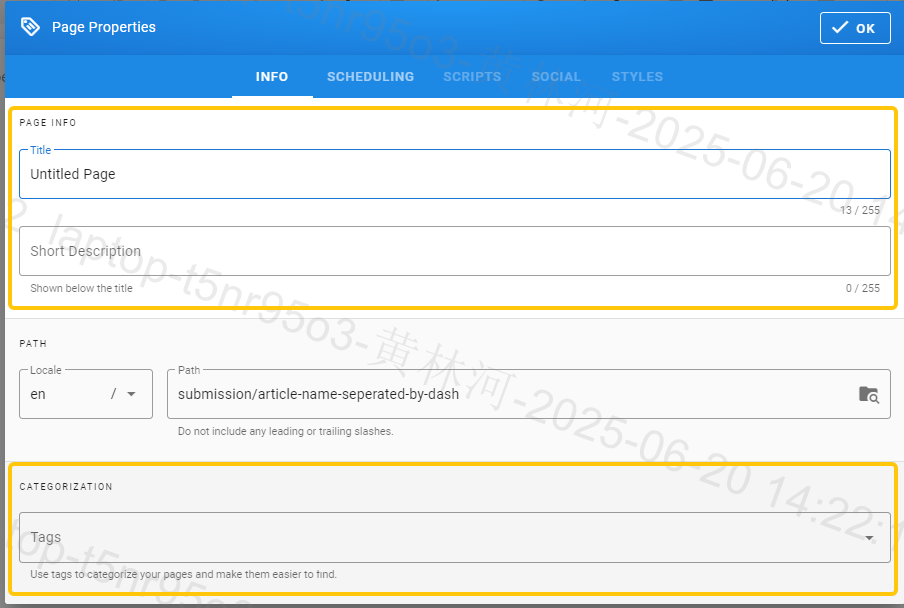
¶ 5. Fill in the page details
- Title: Enter the article title as it should appear.
- Short Description: A brief summary of the article content.
- Tags: Add tags to help others find your article. You may create new tags relevant to your topic.
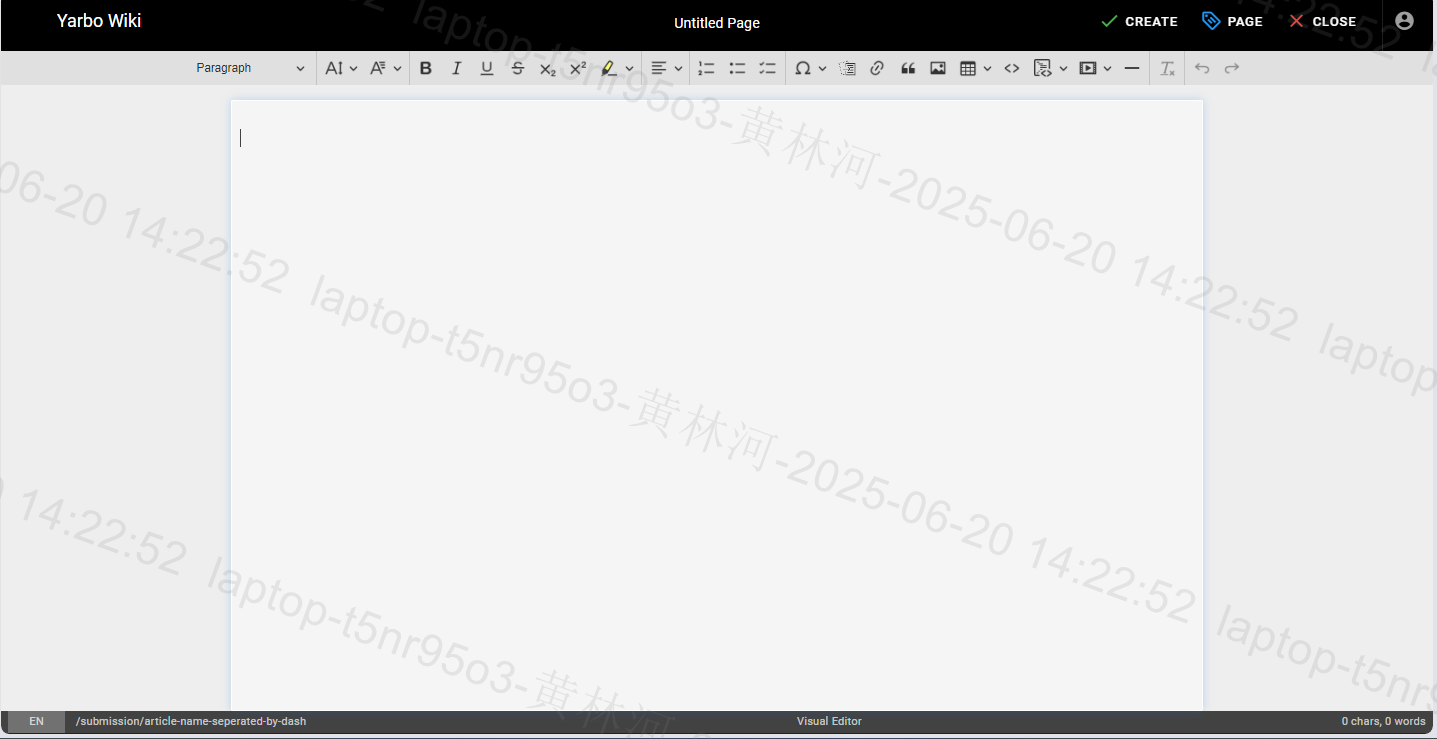
¶ 6. You are now in the editor. Start writing your article content
¶ 7. To add images or visual content
- Click the Insert Assets icon to open the asset management panel.
- Navigate to the contributor-visual-assets folder.
- Click Browse to select files from your device (up to 10 files per upload, max 5MB each).
- Hit Upload.
- Once uploaded, select the asset and click Insert to embed it into your article.

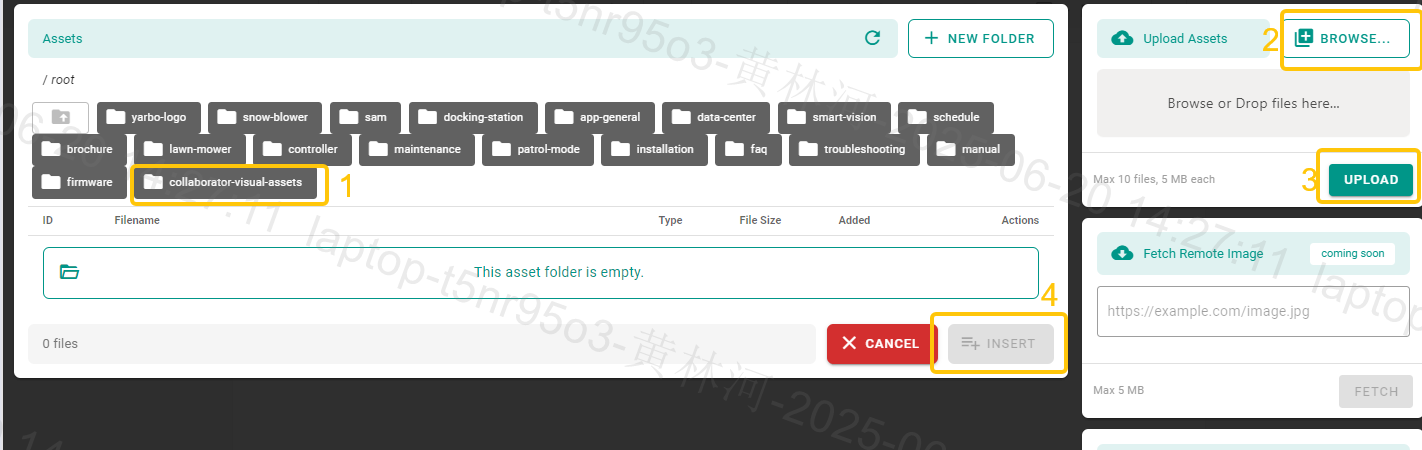
You can only upload 10 files at a time. Each file should be under 5MB file size.
To upload a video, first publish it on YouTube. Then, switch the editor to Markdown mode and paste the embed code directly into the editor.
¶ 8. When you're done editing, click Create to save your article to the server

¶ 9. Return to the Contributor Submission Page and click the ✏️ (edit icon) at the bottom-right
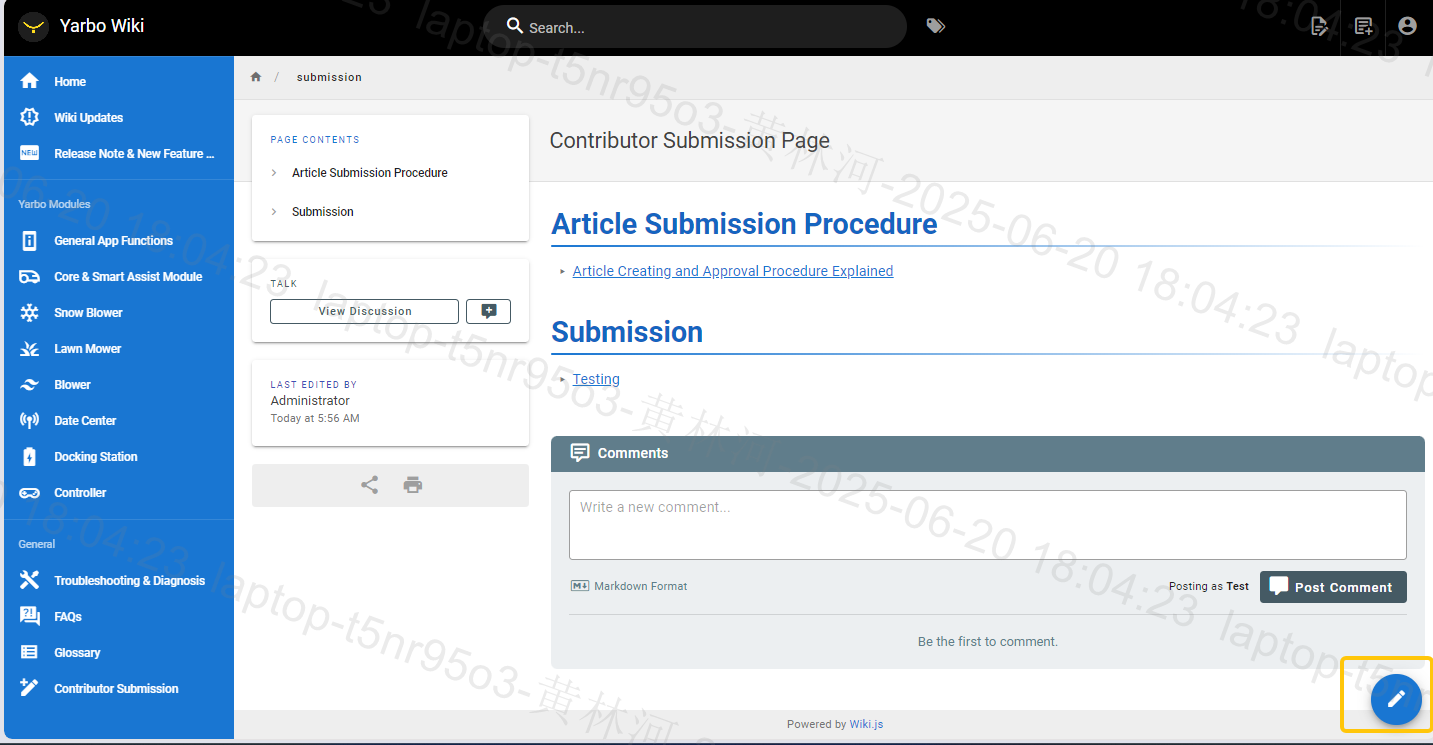
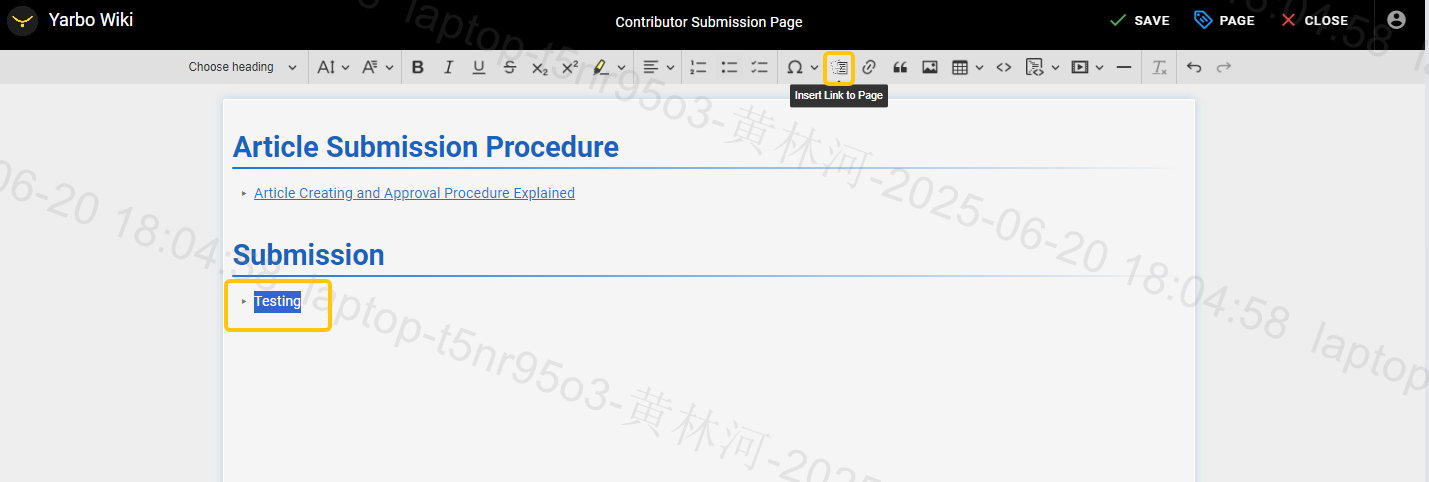
¶ 10. Under the Submission section:
- Type your article name.
- Highlight the text and click the Insert Link to Page icon
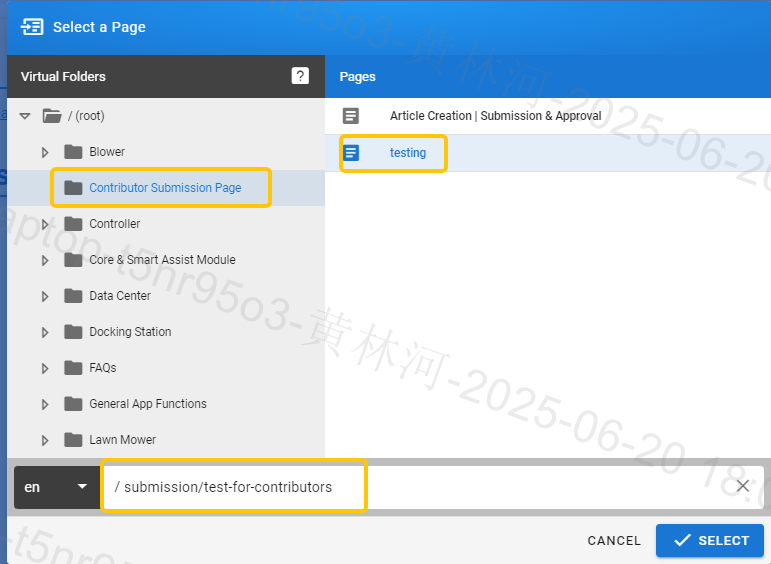
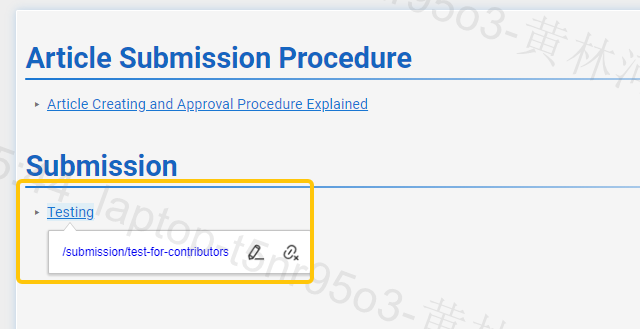
¶ 11. In the file browser, locate your article under the Contributor Submission Page folder.
Double-check that the file path shown at the bottom matches the correct location of your article.
¶ Modifying Existing Articles
To suggest edits:
Leave a comment under the article
or
Create a new submission using the steps above and highlight the issues in your version.
¶ Approval & Credits
Our team reviews the Contributor Submission Page daily. Once your article is approved:
- It will be moved to the relevant section under Contributor Content.
- You will be credited as the author or modifier at the end of the article.
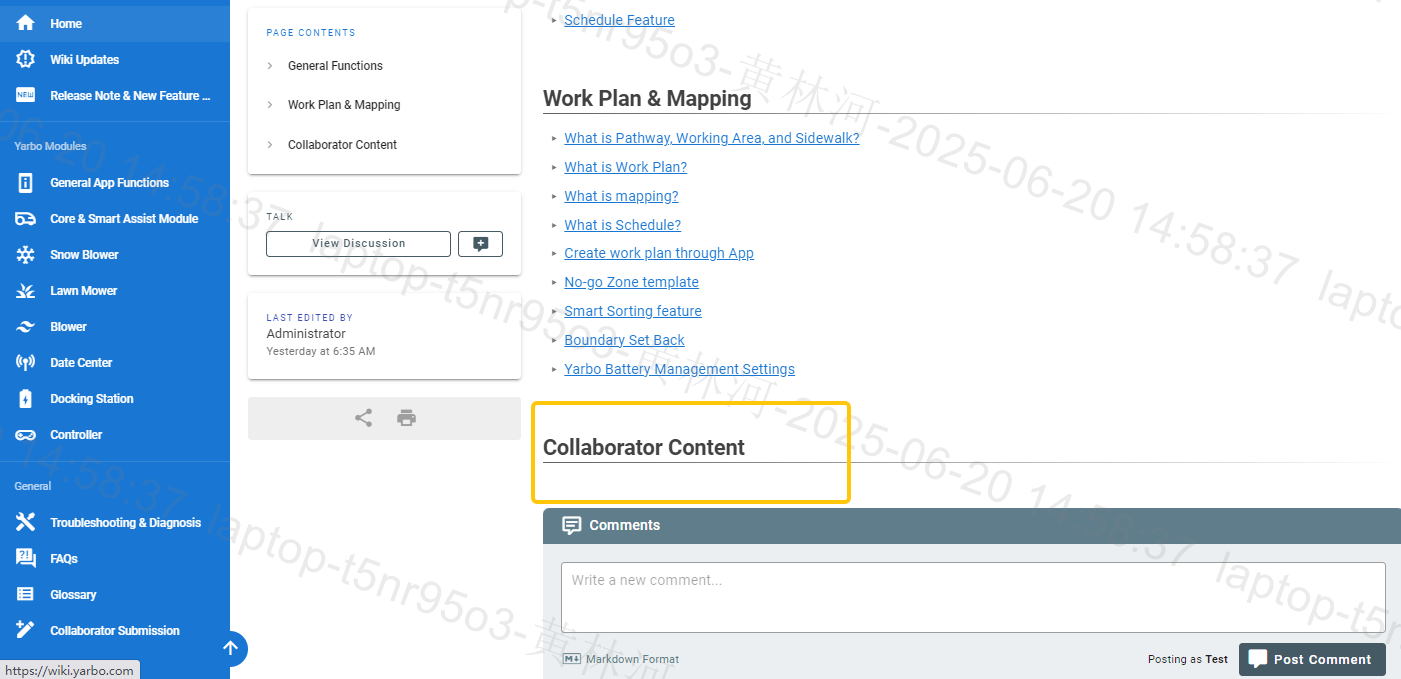
- All newly approved or updated articles will be highlighted in the Wiki Updates section.