¶ Understanding Pathway Offset
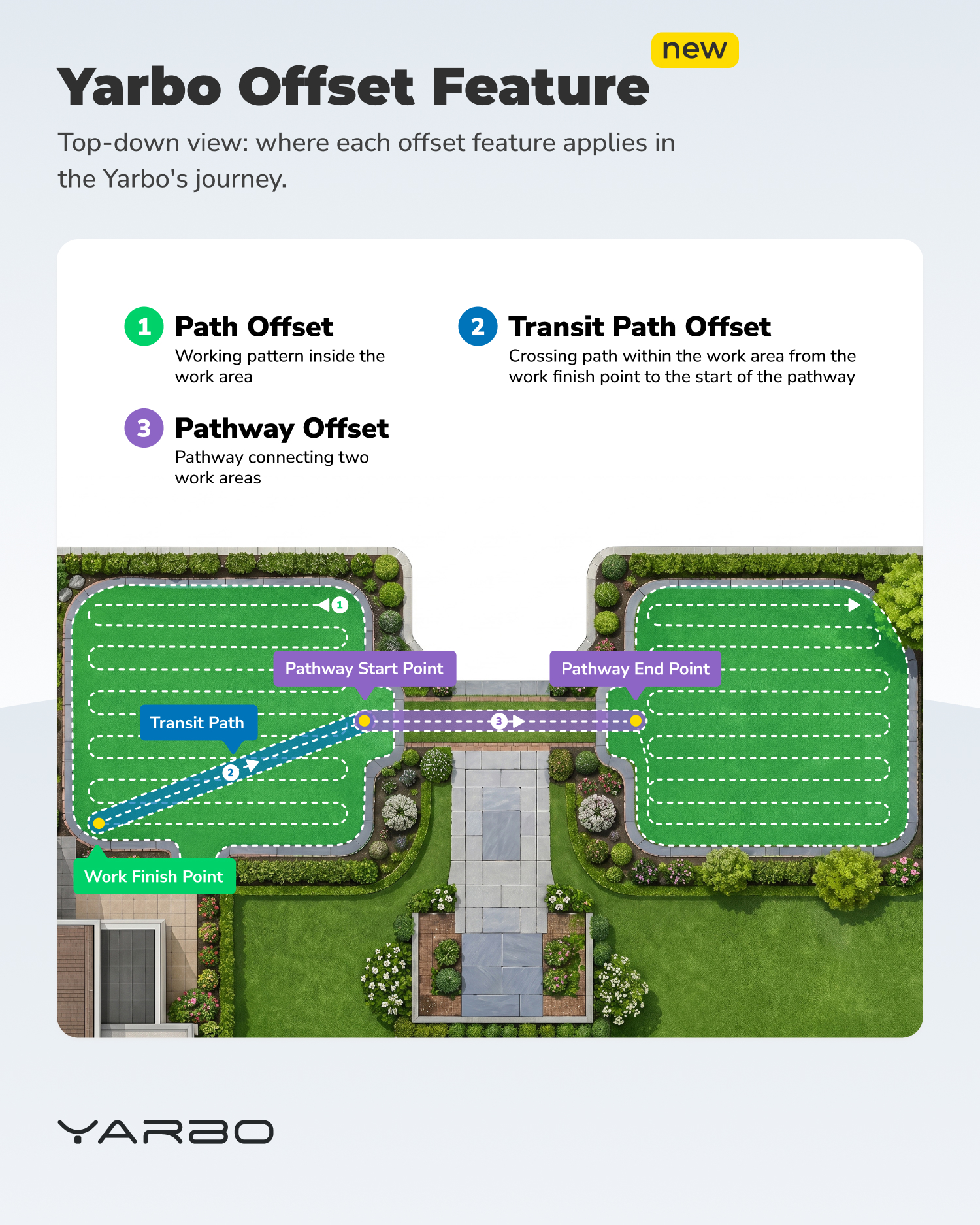
- Pathways connect different work areas, and Yarbo travels along them every time it moves between work areas or returns to Docking Station. Without offset variation, Yarbo follows the exact same line each time — which can wear down narrow grass lanes or cause visible rutting along the corridor.
- Pathway Offset shifts Yarbo's travel along the pathway side-to-side across cycles, distributing wear across a wider corridor.
¶ Where to Find It
|
 |
¶ Settings
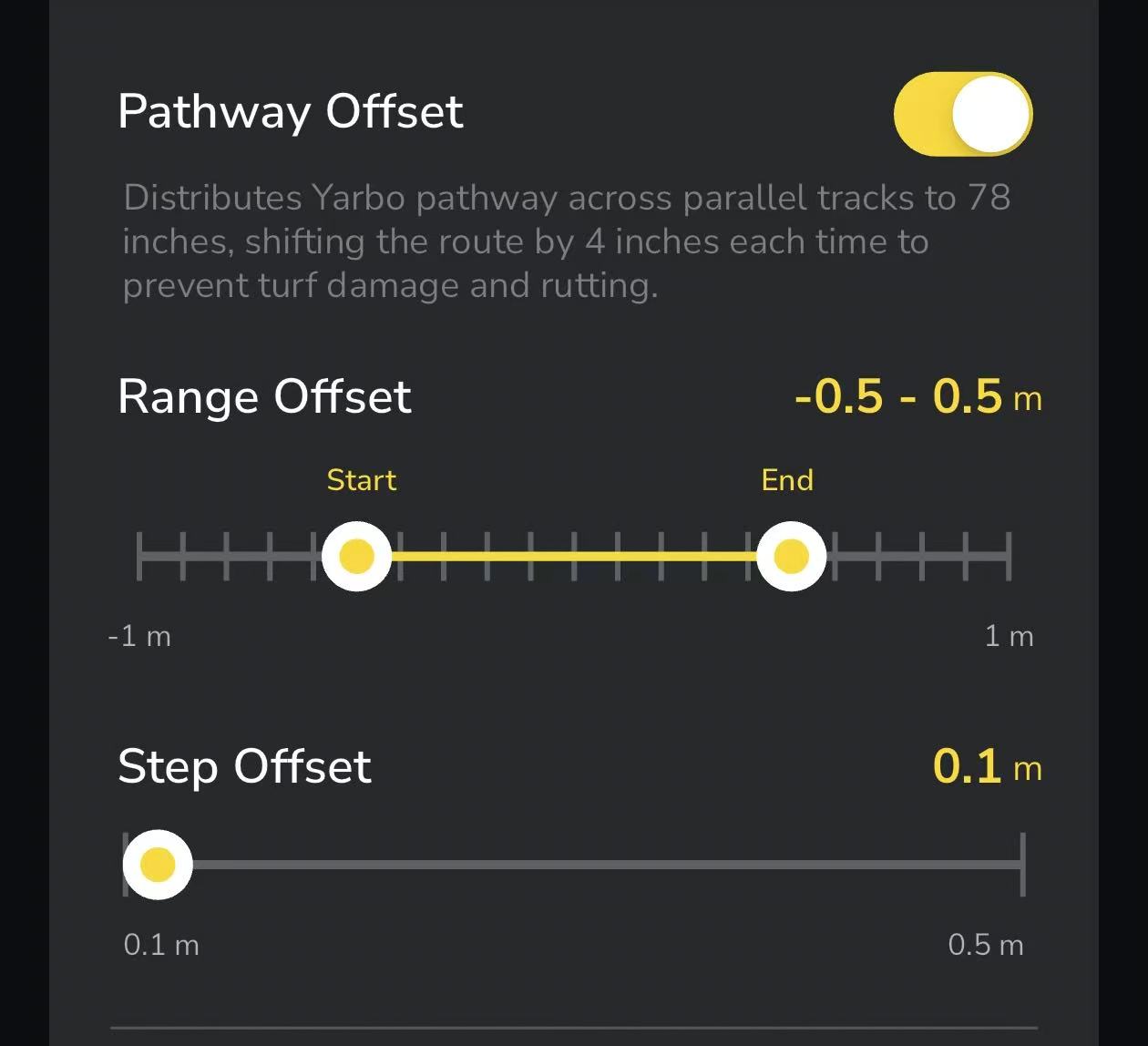
- Range Offset (−1 m to 1 m) Defines the boundaries within which Yarbo can shift its pathway route. Unlike Transit Path Offset, this range extends to both sides of the original pathway centerline:
- Negative values shift the path to the left side relative to the pathway's original drawing direction (from start point to end point)
- Positive values shift the path to the right side relative to the pathway's original drawing direction
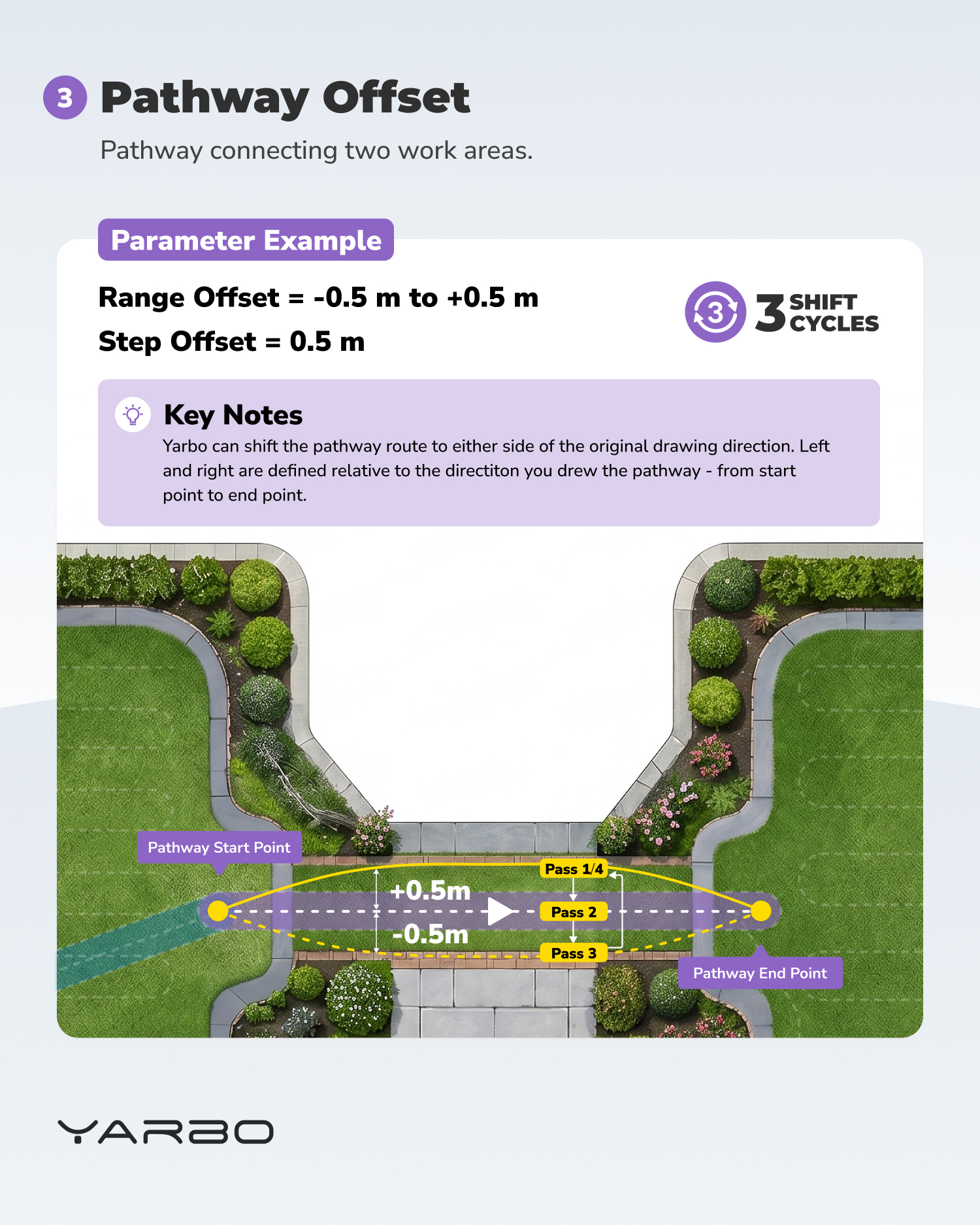
- You set both Start and End points to define a flexible offset zone. For example, setting Start = −0.5 m and End = +0.5 m allows Yarbo to distribute its route across a 1-meter corridor centered on the original pathway.
- Step Offset (0.1 – 0.5 m): The distance Yarbo shifts on each successive run. Once the cumulative shift reaches the End boundary, the next run resets to the Start position.
Understanding Offset Direction
Offset direction is defined relative to the direction in which the pathway was originally drawn, with the start point as the reference origin. Imagine standing at the pathway's start point and looking toward the end point — anything to your left is the negative side, and anything to your right is the positive side.
If the offset shifts in an unexpected direction, the pathway may have been drawn in the opposite direction than expected. You can either re-draw the pathway in the map editor, or simply flip the sign of your Start and End values to achieve the same result.
- Example
Yarbo will travel along 3 distinct parallel pathway tracks (each 50 cm apart) before cycling back to the Start position. |
 |
¶ Why It Matters
- Symmetric or Asymmetric Spread: Choose whether wear is distributed evenly across both sides of the pathway or only to one side
- Precise Control: Define exactly how far Yarbo can deviate in each direction
- Protects Narrow Corridors: Especially helpful for pathways that cross sensitive lawn areas
Tip: Use asymmetric ranges (e.g., Start = 0 m, End = +0.5 m) when one side of the pathway has obstacles or sensitive turf you want to avoid.