¶ Firmware V3.13.1 — Update & Optimizations
¶ New Features
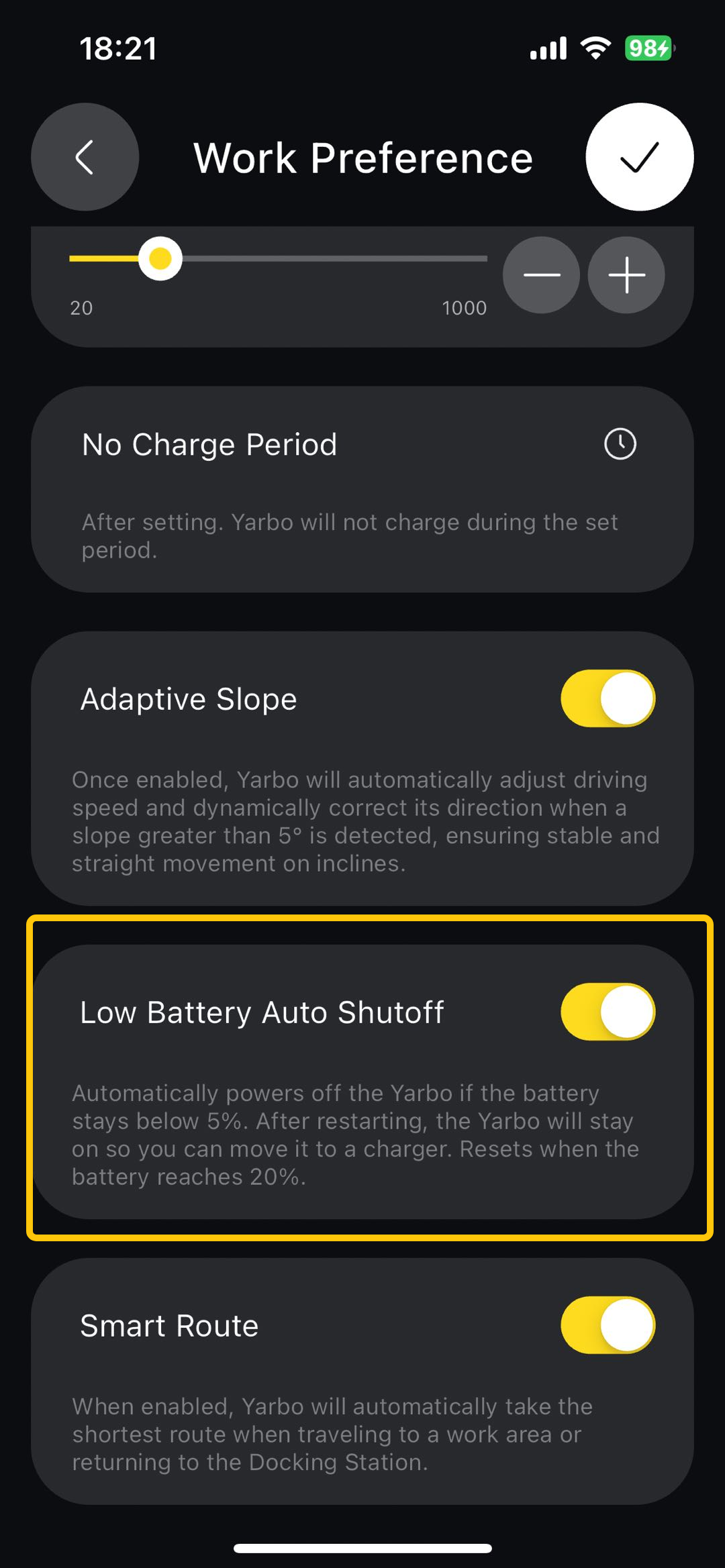
¶ Auto Shutdown at Low Battery
|
We’ve introduced a new Auto Shutdown at Low Battery feature to help protect the battery and ensure safer operation. How it works:
Additional details:
|
 |
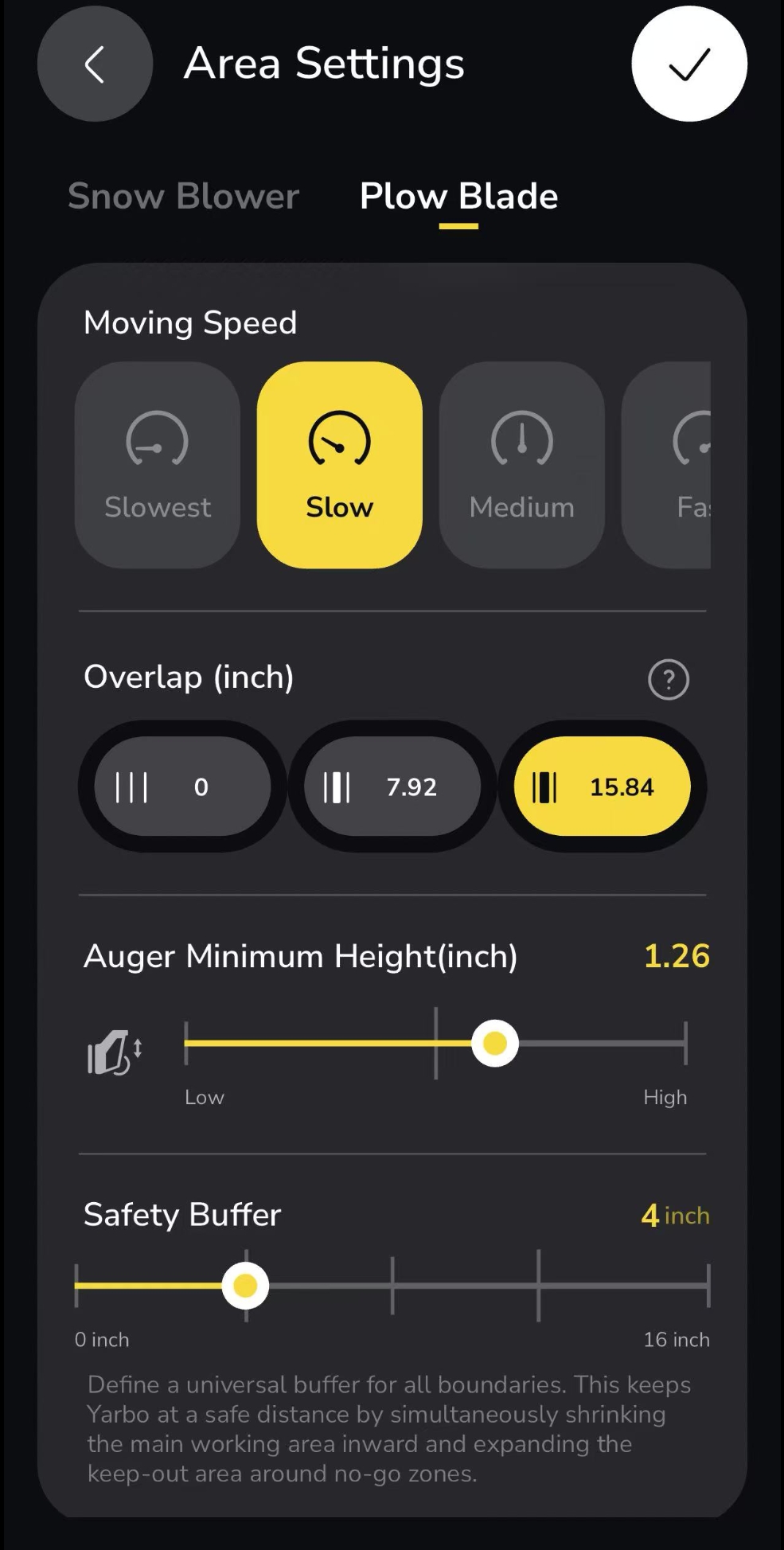
¶ Safety Buffer for Plow Blade
We’ve added a new Safety Buffer option to the Plow Blade settings, giving you more control over how closely Yarbo clears along boundaries.
|
What it does:
How it works:
Additional details:
|
 |
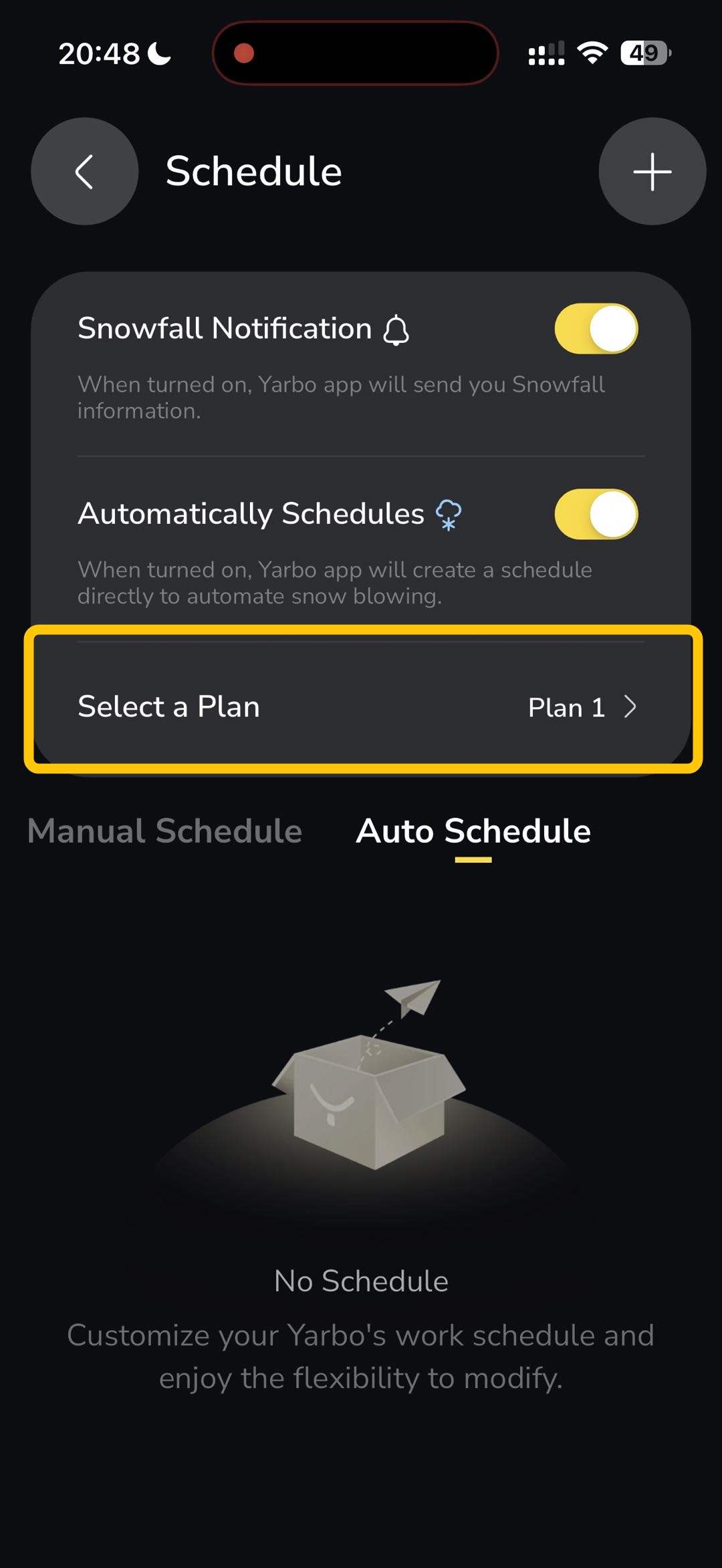
¶ Snow Blower: Flexible Work Plan Selection for Auto Schedule
|
You can now choose which work plan runs when automatic scheduling is enabled. Instead of relying on a default plan, you can select a specific plan in advance. When a weather-triggered schedule is activated, Yarbo will follow the selected plan automatically. This gives you more control over how Yarbo operates in different weather conditions, ensuring the right strategy is applied every time. |
 |
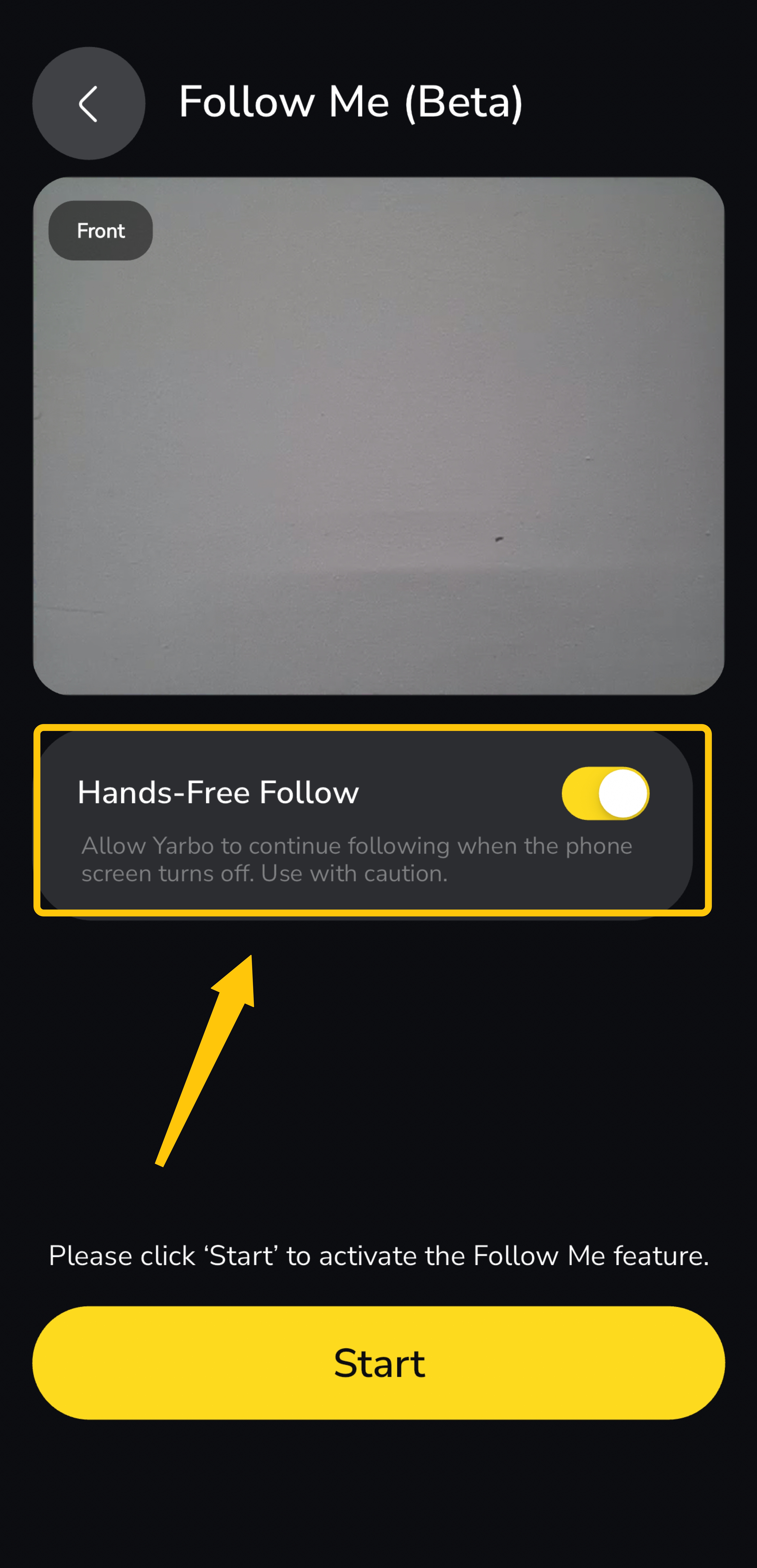
¶ Hands-Free Option for Follow Me
|
 |
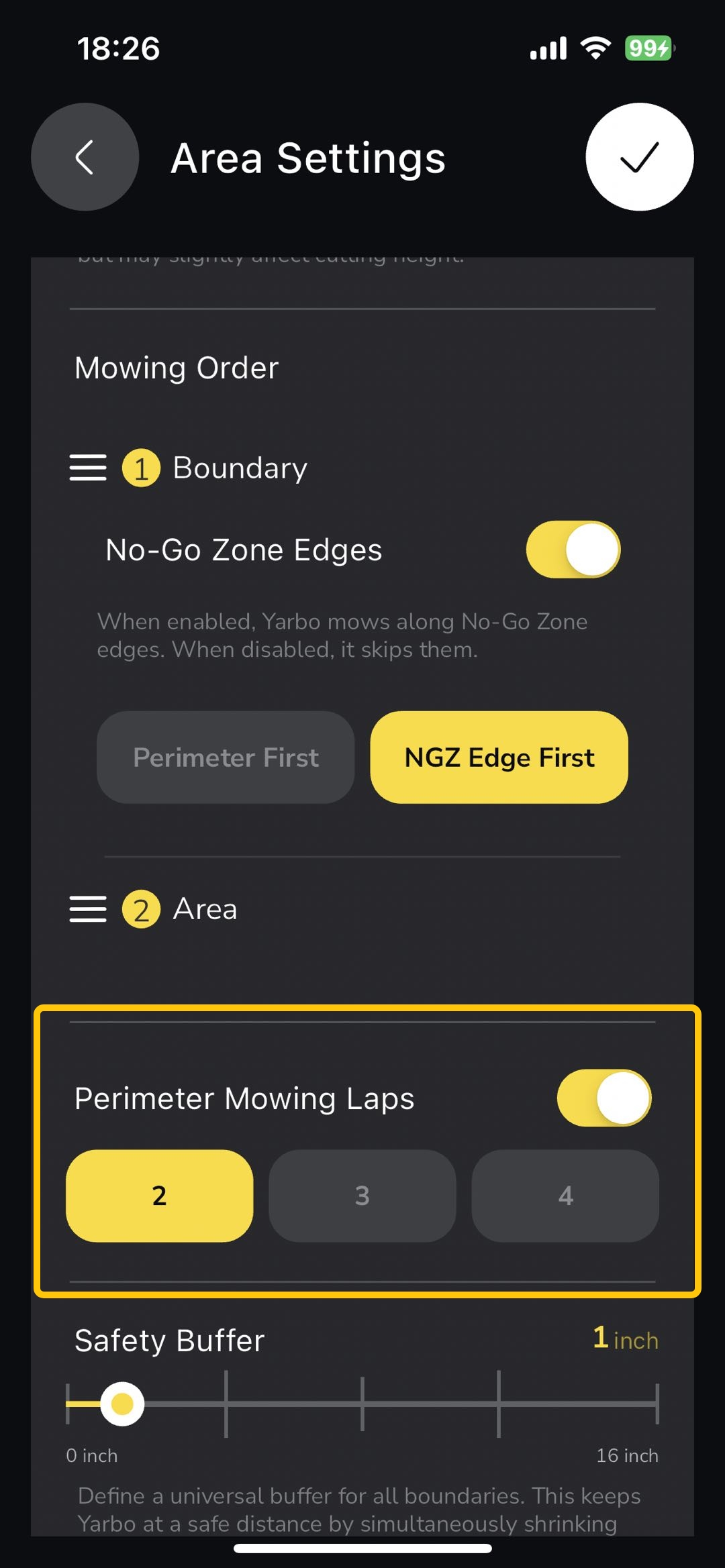
¶ Toggle for Perimeter Mowing Laps
|
 |
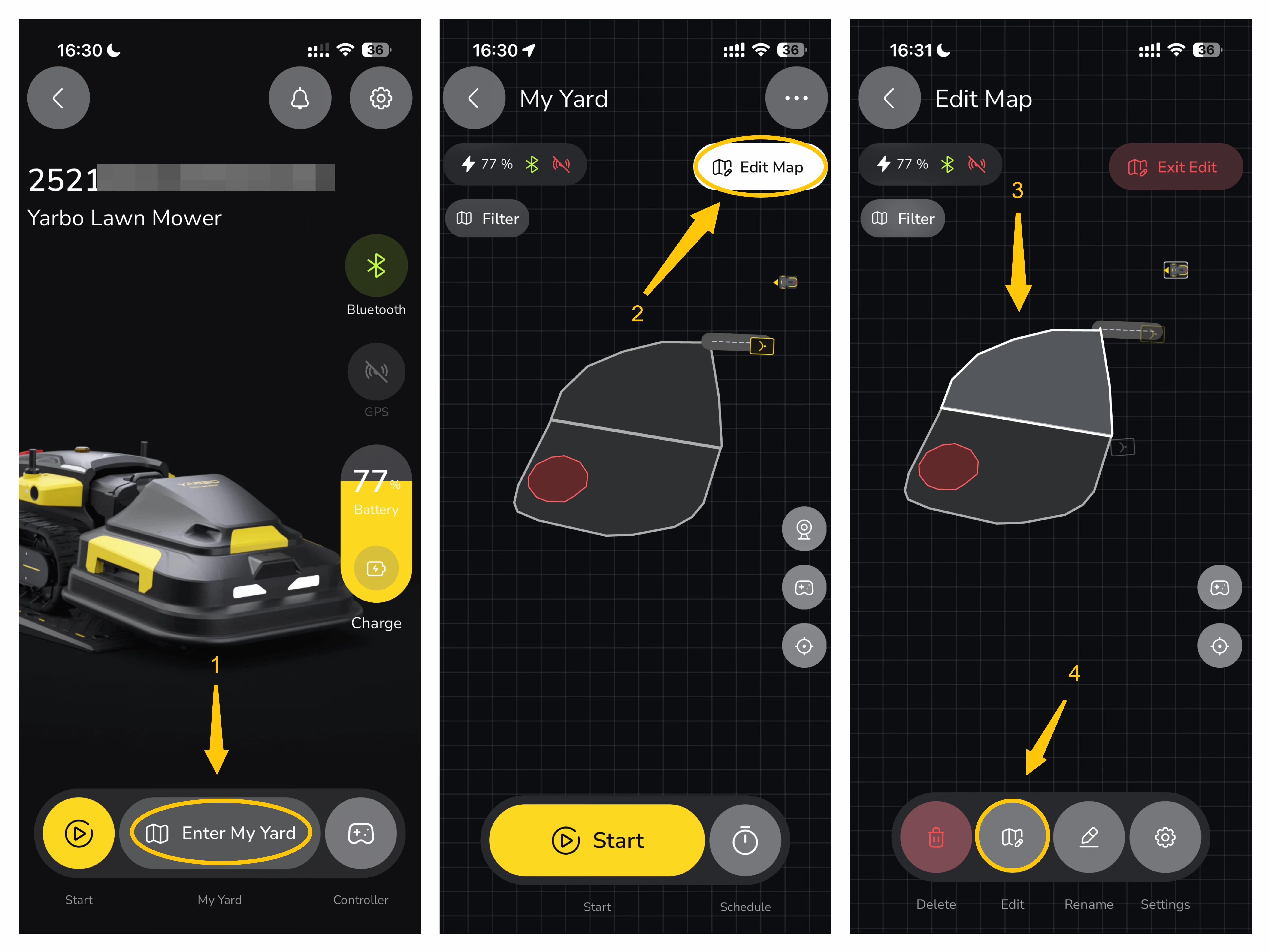
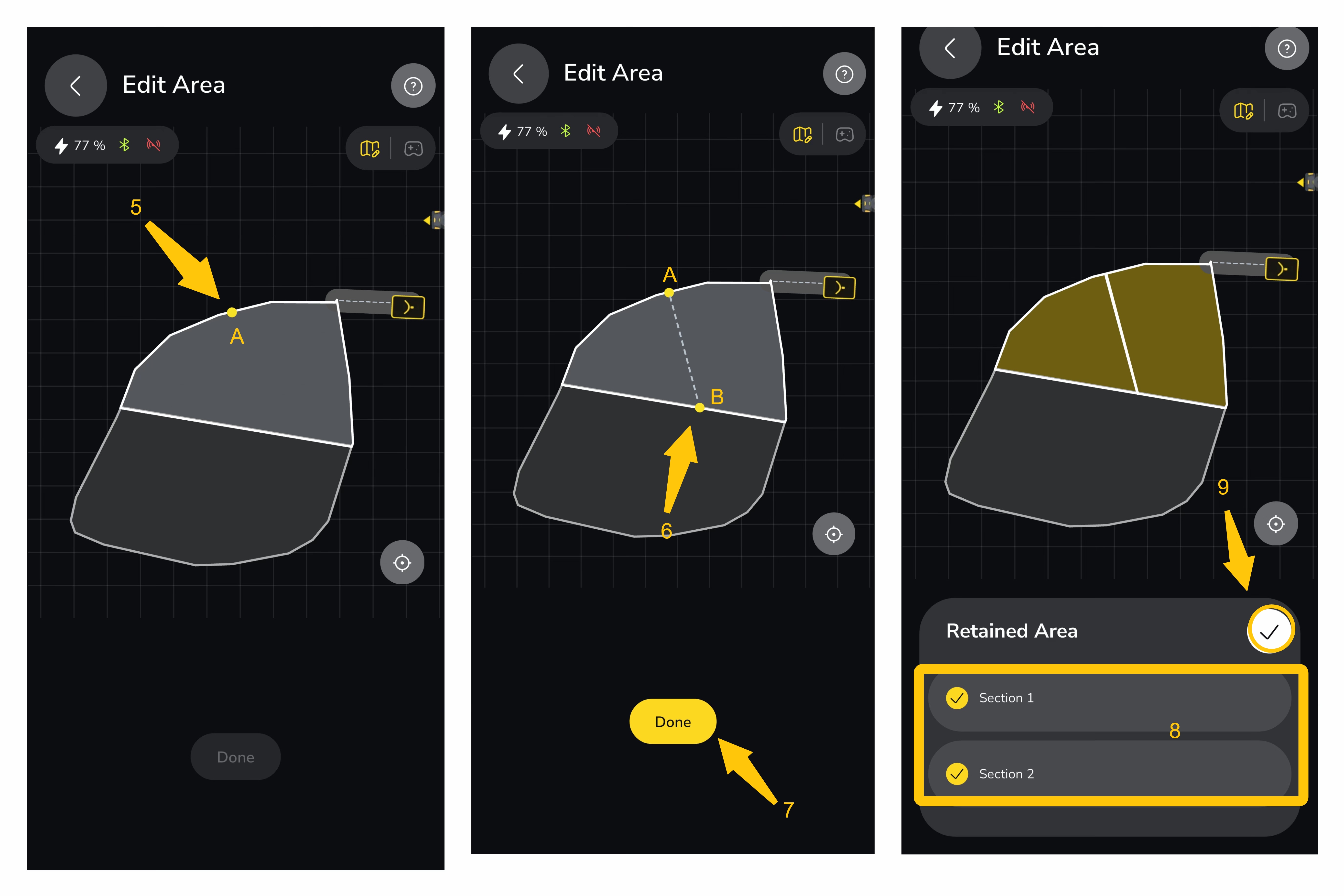
¶ 6. Split Areas in the App and Select Sections to Retain
| You can now split mapped areas directly in the app. After splitting, you can choose to keep specific sections or retain all resulting areas based on your needs. |
 |
 |
¶ App V3.18.2 — Update & Optimizations
¶ New Features
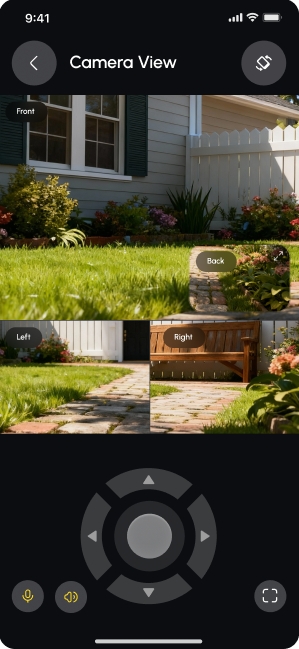
¶ Smart Vision Camera Zoom-in Feature
| Double-tap any camera view (front, rear, or side) to expand it to full screen, helping you monitor more precisely and stay aware of your surroundings—especially in complex environments. |
 |
¶ NetRTK Integration
Yarbo now supports both Data Center and NetRTK Service for positioning. To switch between them, go to: Yarbo Settings → Positioning Services
¶ Service Info
NetRTK service is free for the first 3 months.
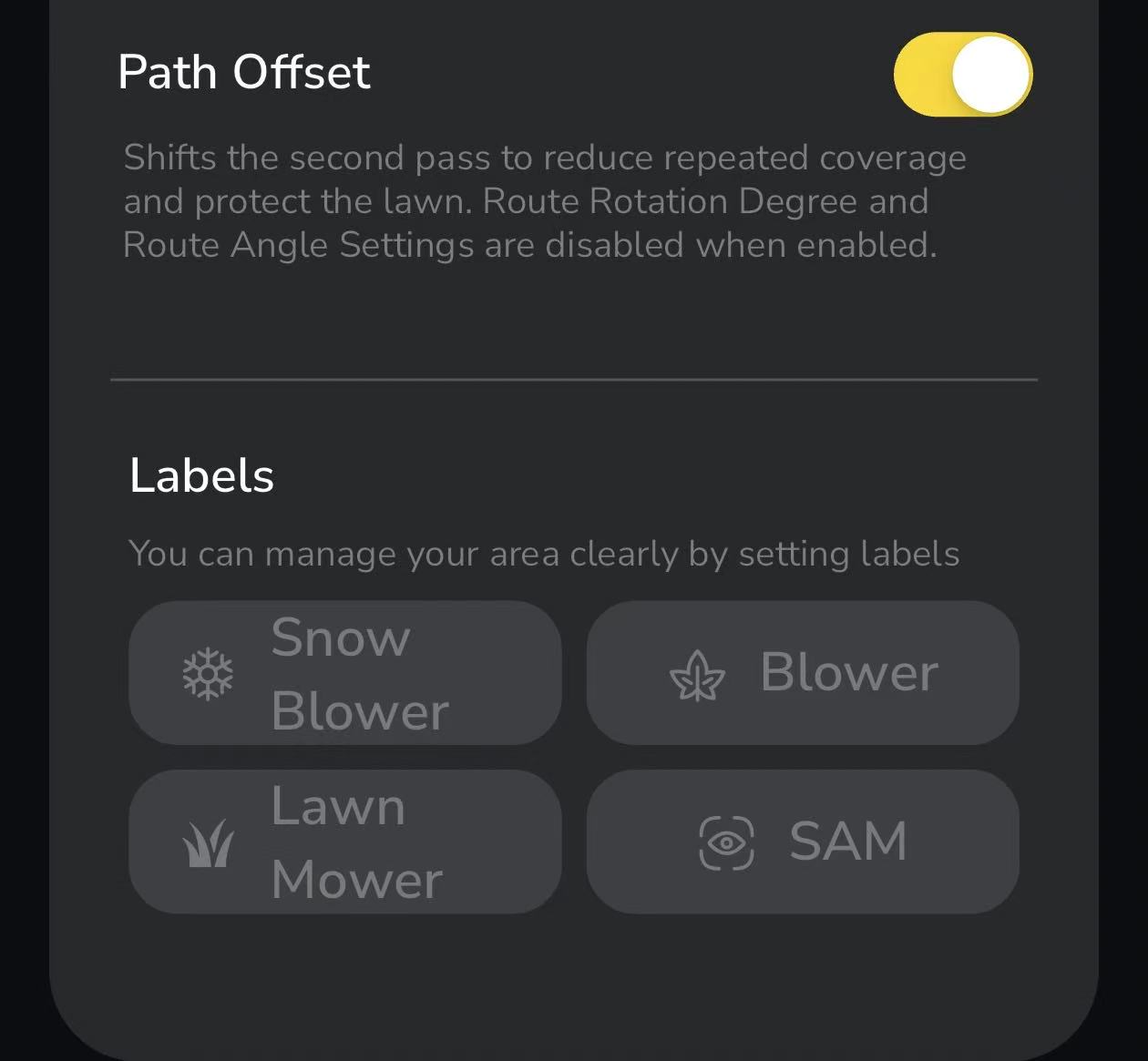
¶ Path Offset (For Lawn Mower and Lawn Mower Pro)
|
In Area Settings, you can now enable Path Offset to reduce turf damage caused by repeatedly using the same route within an area. This feature is available when using Parallel, Spiral, or Adaptive route patterns. |
 |
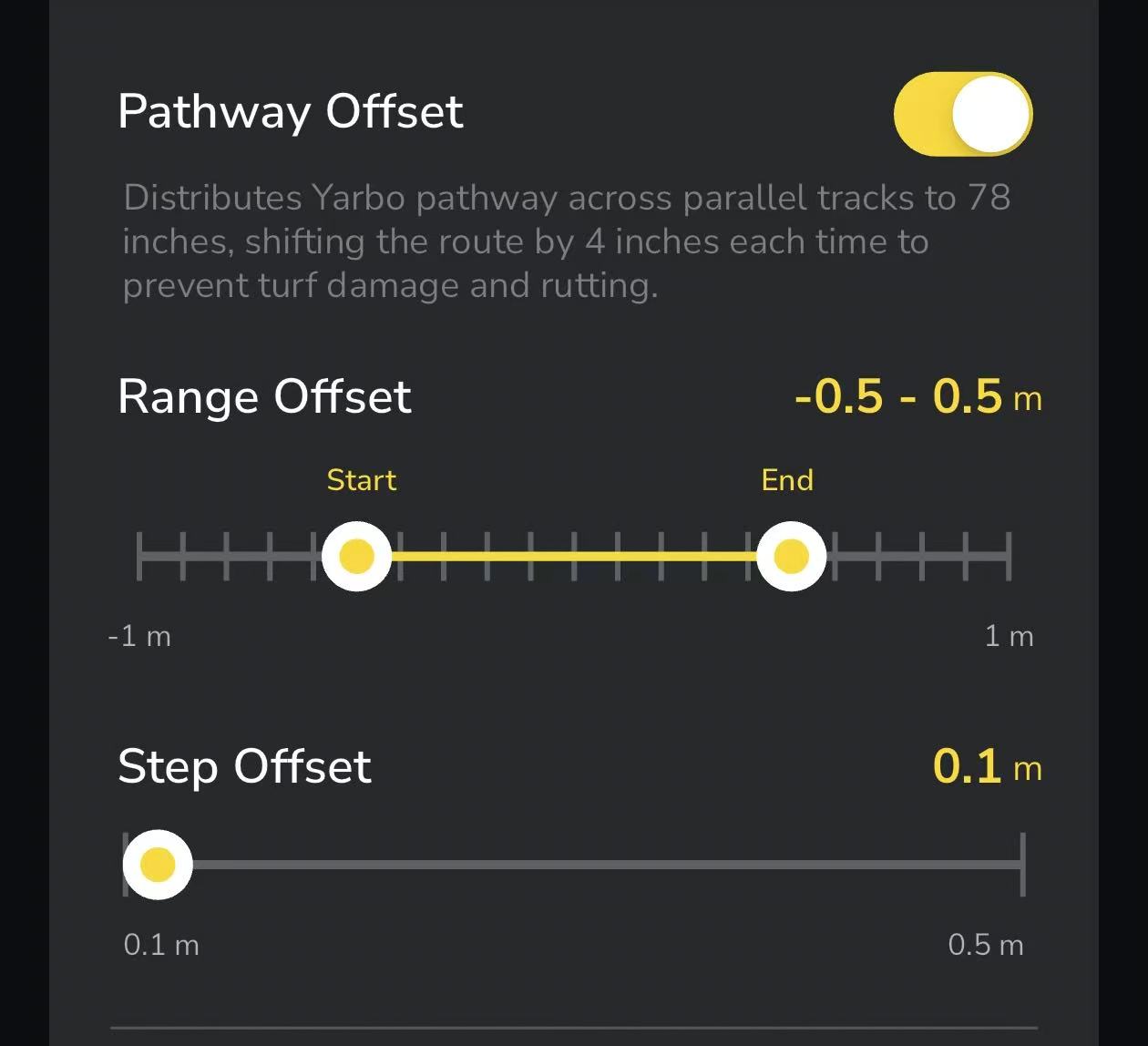
¶ Pathway Offset(For Lawn Mower and Lawn Mower Pro)
- To reduce lawn damage caused by repeatedly using the same pathway, Yarbo now introduces the Pathway Offset feature.
- To enable or disable this feature, simply go to: Pathway Settings → Pathway Offset
- When enabled, Yarbo will distribute its pathway across parallel tracks within a defined range, shifting the route slightly each time based on your settings.
- You can customize both the offset range and step distance to suit your lawn conditions and reduce wear over time.
¶ Offset Option for Snow Blower Work Twice
We’ve added a new Offset option to Work Twice for the Snow Blower to improve overall snow clearing performance.
When enabled, Yarbo slightly shifts the path during the second pass, helping clear snow left between paths and delivering more consistent coverage—without repeatedly running over the same tracks.
The feature is off by default and can be enabled in Area Settings when using Work Twice.
Note: This feature is not supported in slope patterns.
¶ Thin & Heavy Snow Cleaning Modes
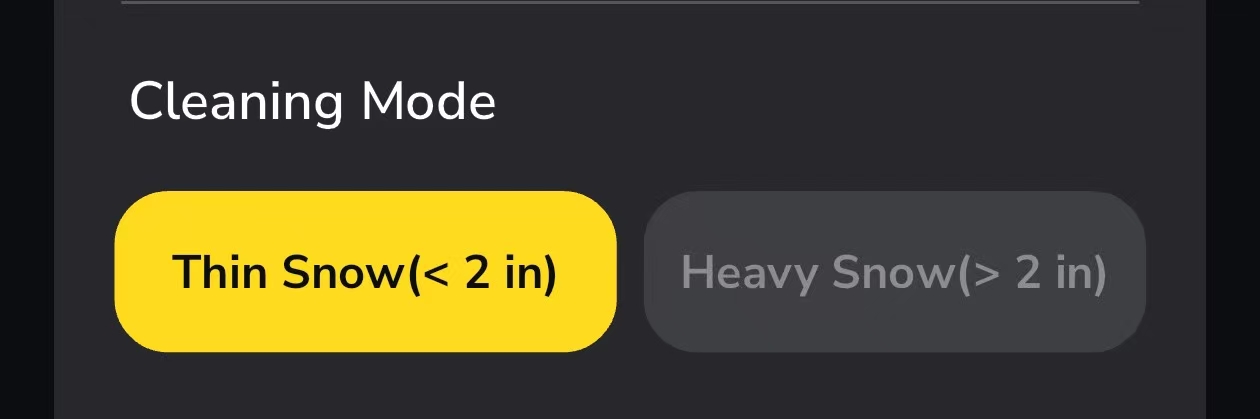
We’ve introduced new Thin Snow and Heavy Snow cleaning modes to better handle different snow conditions and improve overall efficiency.
- Thin Snow Mode reduces unnecessary turning actions, allowing for smoother and more efficient clearing in light snow conditions
- Heavy Snow Mode maintains the existing behavior, providing better traction and stability in deeper snow
Heavy Snow is set as the default mode. - You can also customize Perimeter Blowing Laps (0–2 rounds) to better prepare turning areas and improve overall clearing results.
These options are available under Area Settings → Cleaning Mode, giving you more control based on real-world conditions.
¶ Optimizations
¶ Label Display in Work Plans
Work plans now display the labels assigned to their included areas, making it easier to identify and manage different plans at a glance.
¶ Enhanced PPVS functionality and UI by introducing global and per-area settings, improving positioning stability and flexibility across different environments.