The Yarbo Mower may occasionally leave uncut areas while executing a Work Plan. We are aware of this behavior and are actively working to resolve it. Until a fix is available, please refer to the workarounds below based on the type of missed cut you encounter.
Note:Before reviewing the scenarios below, please check that the blades are sharp and rotate normally, and that the screws are securely fastened and free of visible damage.
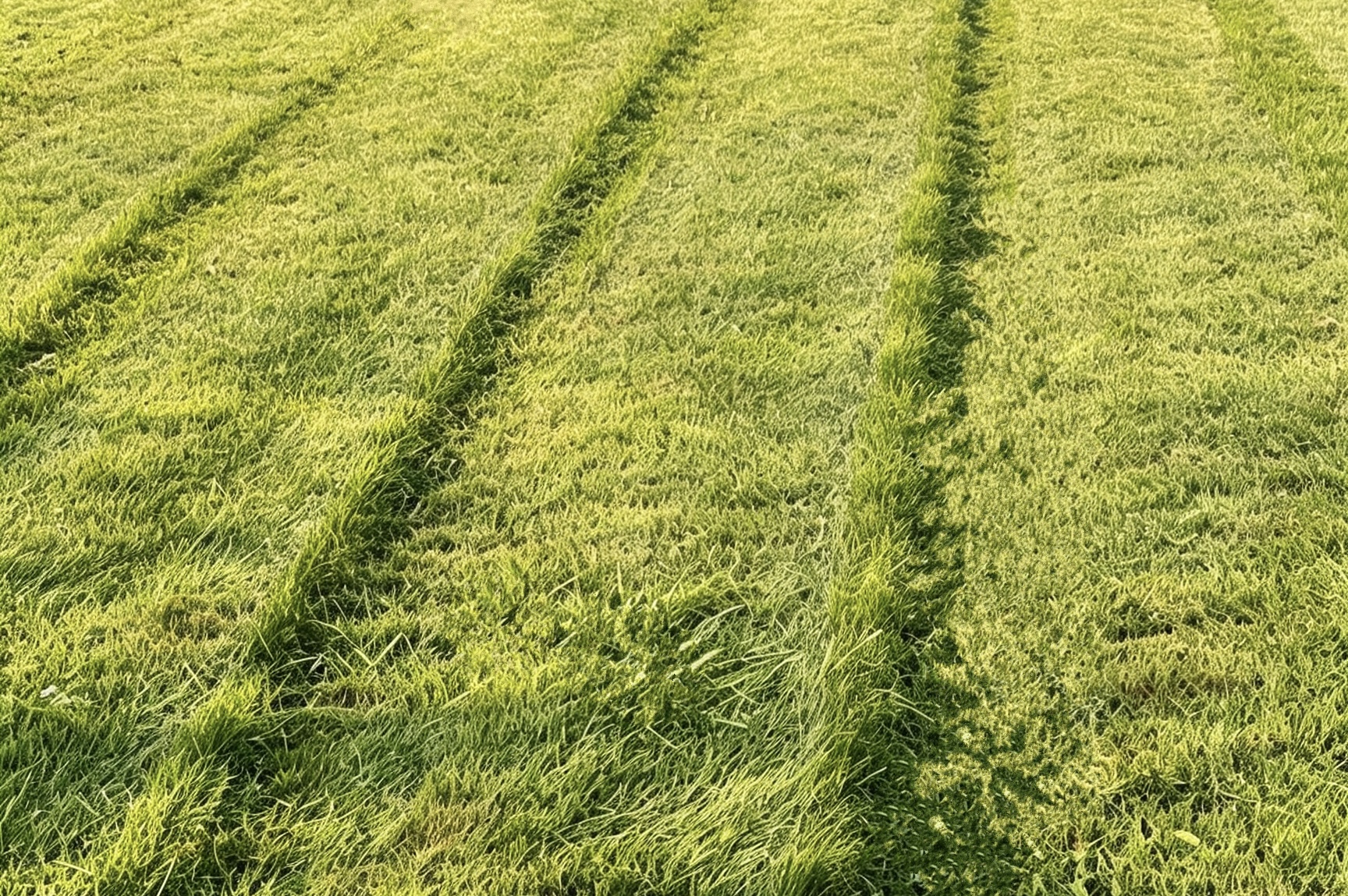
¶ Missed Cuts in Rows
¶ Symptom
- The mower leaves uncut rows in every pass of the mowing path.
¶ Recommended Workarounds
¶ Adjust your Overlap settings.
- If your Overlap is currently set to 0, increase it to 4 inches or 8 inches. A higher Overlap increases the coverage between adjacent passes, helping reduce missed cuts.

¶ Adjust Mowing Paths
- Adjust other relevant settings so that Yarbo can fill in the previously missed rows during the next Work Plan.
¶ Switch to a different Route Pattern.

¶ Change the Route Angle
- Yarbo will rotate the mowing direction based on the previous route angle. The updated route can be viewed in the Preview before starting the Work Plan.

¶ Set the Route Rotation Degree
- The mower will automatically adjust its route direction on each mowing schedule.
This option is available only for the Parallel Route Pattern.

¶ Enable Offset feature
- Enable Path Offset, Transit Path Offset, and Pathway Offset separately to have Yarbo slightly shift its path in the Work Area, near the Pathway entrance, or along the Pathway during each task cycle, helping cover grass that was previously missed.


¶ Lower the Moving Speed
- A slower speed may reduce path drift and improve mowing precision, helping minimize missed rows. Please note that this may increase the overall mowing time.

¶ Contact Support
- If you have already adjusted Overlap to 4 or 8 inches and still experience missed rows, please submit a ticket to support@yarbo.com with the following information so our team can analyze the logs:
- A photo of the area with missed cuts
- The timestamp when the Work Plan started (e.g., 3:00 PM CDT)
- A screenshot of the map with the missed areas marked
¶ Missed Cuts in Specific Spots
¶ Symptom
- The same area may be repeatedly missed during mowing, e.g., along fences, at boundary turns, or in narrow spaces.

¶ Recommended Workaround
- Use the Deadend feature to handle the missed spot.
- Drive Yarbo to draw a Deadend at the spot that is repeatedly missed during mowing. During the next Work Plan, Yarbo will follow the pre-drawn path to help cover these missed areas.
📍 Path: Enter My Yard → Edit Map → click “+” → add Deadend

¶ Contact Support
- To help us investigate why the Mower repeatedly misses the same area, please submit a ticket to support@yarbo.com with the following information so our team can analyze the logs:
- A photo showing the missed area in your yard
- The timestamp when the affected Work Plan started (e.g., 3:00 PM CDT)
- A screenshot of the app map with the missed spot marked
¶ Occasional Missed Cuts
¶ Symptom
- Yarbo may occasionally miss some areas during a Work Plan, but the issue is not persistent. For example, Yarbo may deviate from its planned path due to a poor GPS signal or detour after detecting an obstacle.
¶ Contact Support
- If you experience occasional missed cuts, please submit a ticket to support@yarbo.com. Our Support team will first diagnose the cause of the missed cuts and then provide a corresponding solution. When submitting a ticket, please include:
- A screenshot of any error message in the app or an abnormal situation on the map, such as an unusual planned path or a large area detected as an obstacle
- The start timestamp of the affected Work Plan (e.g., 3:00 PM CDT)
¶ Recommended Workaround
- If the missed cuts are diagnosed as being caused by obstacle detection, please refer to the False Obstacle Alerts article for recommended solutions.